透過群組原則禁用「存取區域連線屬性」與「啟用 Windows 2000 網路連線設定」,防止使用者變更 IP 設定。
gpedit.msc。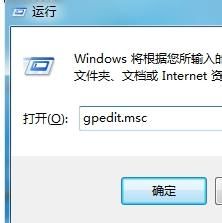
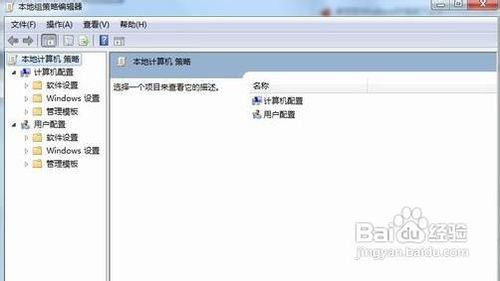
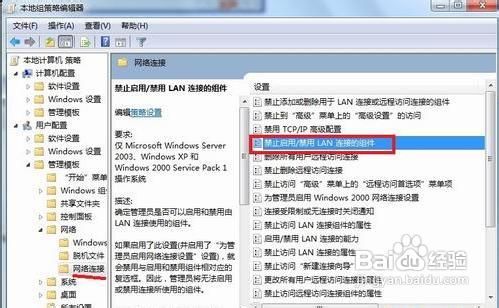
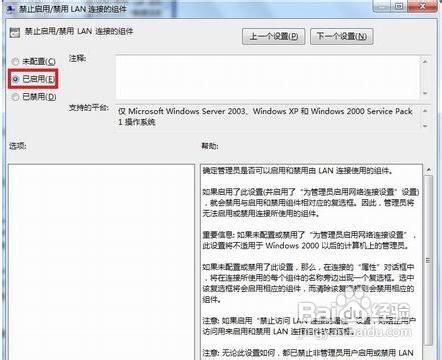
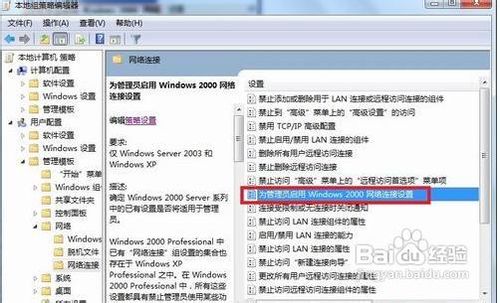
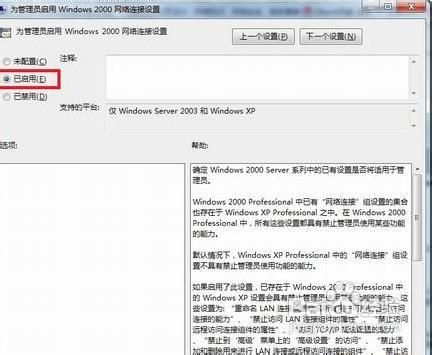
適用於企業/學校電腦統一管理 IP,防止使用者隨意變更導致網路故障。
Win7 關閉開機動畫加速啟動:msconfig 設定無 GUI 開機
Win7 精簡字體提升開機與 Office 啟動速度:批次檔一鍵清理
Administrator 帳號誤停用無法進系統?安全模式 CMD 啟用、或離線替換 logon.scr 為 cmd.exe 以 System 權限解鎖
Windows 7 安全性深度解析:Action Center、UAC 四段式、BitLocker To Go 全面升級
Win7 刪除檔案卡在「正在準備回收」?四大方案:360急救箱、重灌、格式化、Unlocker 解鎖強刪
微軟推 Windows 7 升級金鑰產品包:滿足用戶升級高階版本需求