桌面空空如也?多半是「顯示桌面圖示」被誤關閉
開機發現桌面圖示全不見,別慌,這通常不是中毒,而是 Windows 7 的「顯示桌面圖示」選項被意外取消勾選。只需在桌面空白處右鍵,兩步即可找回所有圖示。
最快恢復法
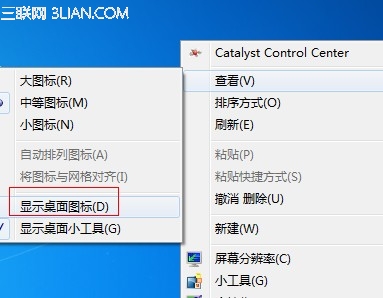
- 在桌面空白處點擊滑鼠右鍵。
- 依序選擇 「檢視」→「顯示桌面圖示」,打上勾選。
若上述無效,進階排查
- 檢查
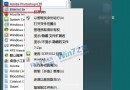
explorer.exe 進程是否正常(工作管理員重新啟動)。
- 掃描惡意軟體,排除病毒隱藏桌面項目。
- 確認桌面圖示設定:「個人化」→「變更桌面圖示」勾選電腦、回收站等系統圖示。
大多數情況下,第一招就能立刻解決,省時又安心。