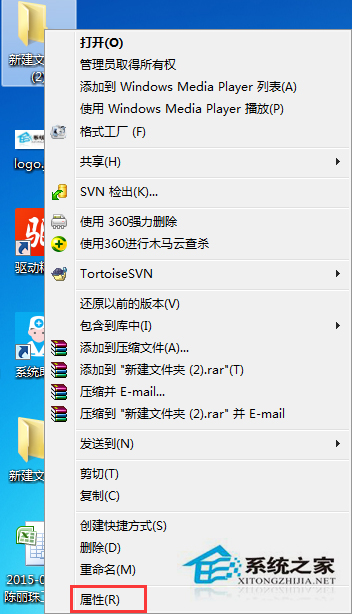
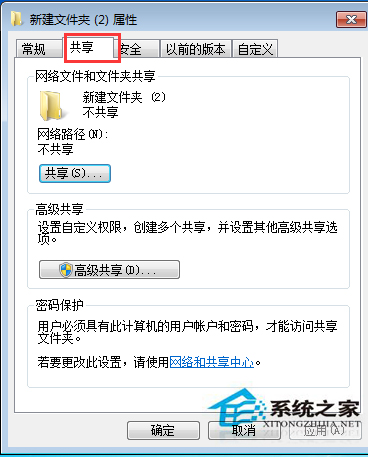
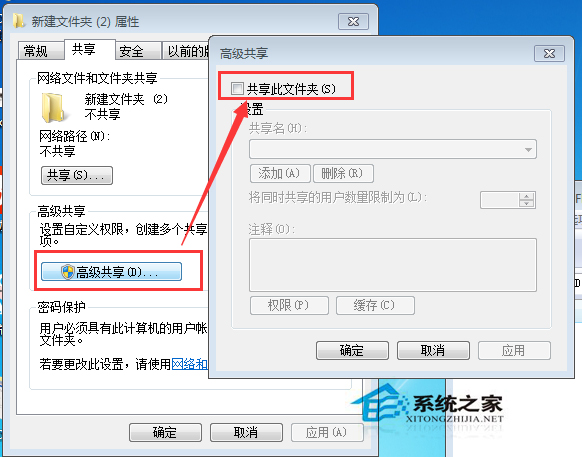
不需共用時應關閉資料夾共用,防止區網未授權存取。
需共用時重新勾選即可,靈活控管資料安全。
深入探索 Windows 7 內建防火牆:多重原則與行動裝置支援
Windows 7 工作列自動隱藏與顯示設定:一分鐘掌握
Win7 降低遊戲畫質提升流暢度:DNF、CF、LOL、WoW 熱門遊戲設定圖文對照
Windows 7 安全中心服務啟動與錯誤 1079 修復
Windows 7 「錢景」未明:用戶習慣與相容性雙重制約推廣
Win7 修改 Office 2010/2013 產品金鑰 (序號) 的方法
Win7 建立環境變數教學:CMD 臨時設定 vs 系統面板永久生效
Win7開機藍屏 0x00000024 錯誤代碼?NTFS檔案系統錯誤三大救援方案