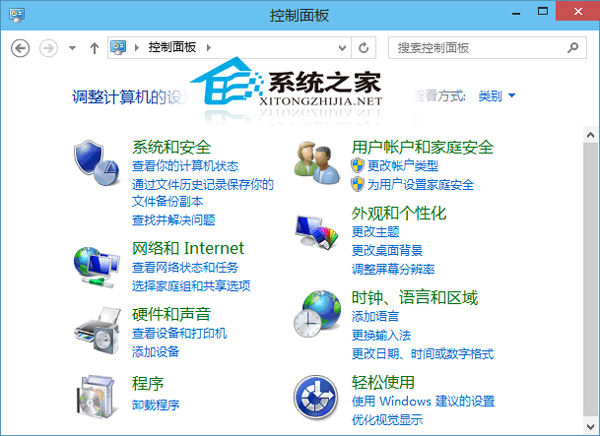
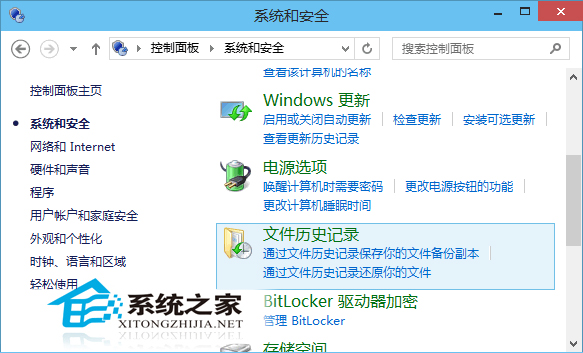
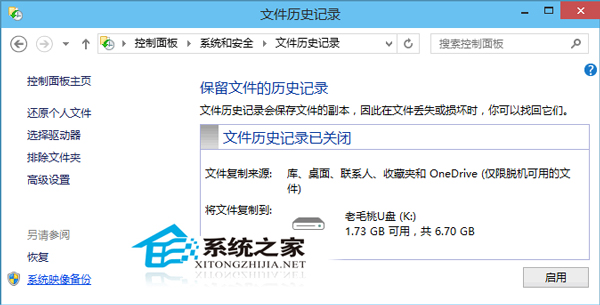
系統映像是磁碟機精確副本,當系統還原無法解決問題時可用映像恢復。Win10 內建備份功能操作:
系統映像備份包含作業系統、設定、程式與檔案,是災難恢復的終極保障,建議定期製作。
為什麼要升級 Win10?六大理由與三種升級管道完整說明
Win10 設定圖片密碼教學:設定 > 帳戶 > 登入選項 > 圖片密碼,三步驟完成手勢登入
Win10 動作中心通知太吵?自訂關閉特定類別提醒,靜心工作不受打擾
Win10 超過 30 天還原 Win7?安裝 System GoBack Free 備份還原
微軟手機系統改名史:從 Windows CE 到 Windows 10 Mobile 的繁複演變
Windows 10 停用驅動程式強制簽名啟用測試模式教學 (進階開機選項)
Surface Book Win10 連接鍵盤仍顯示「鍵盤分離」原因與暫時解法
蘋果Boot Camp 6更新:全面支援Mac雙系統安裝Win10