Win10 升級至 Build 9926 出現錯誤 0x80070002。嘗試 DISM 修復 (DISM /Online /Cleanup-Image /ScanHealth 成功,/RestoreHealth 失敗 0x800f081f) 後,最終透過重設 Windows Update 元件解決。
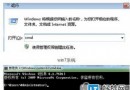
services.msc → 停止 Windows Update 服務 (wuauserv)。C:\Windows\SoftwareDistribution 資料夾 → 重新命名為 SoftwareDistribution_Old (備份舊更新快取)。
此法清除損壞的更新快取,強制重新下載完整升級套件。預覽版升級錯誤頻繁,非急需建議等待正式版釋出再升級。
Win10 TH1 無法升級 TH2 正式版怎麼辦?重置 Windows Update 元件解決
Win10 開啟 VS2010 提示找不到 rcdll.dll 怎麼修?登錄表補齊 Windows SDK 路徑
Win10 投影第二螢幕操作法:Win+P 快捷鍵與設定介面雙管道
Win10 升級後沒聲音?VIA/Realtek 聲卡兩大修復方案
Win10 移除工作列通知區域「動作中心」圖示:群組原則停用動作中心圖示
Win10 VC++ 6.0 無法運行 0xc0000142 錯誤:替換英文版 msdev.exe 解決相容性
Win 10 技術預覽版禁止自動更新:PE 環境重命名 SoftwareDistribution\Download 目錄