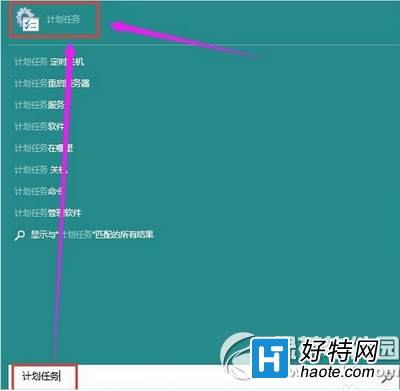
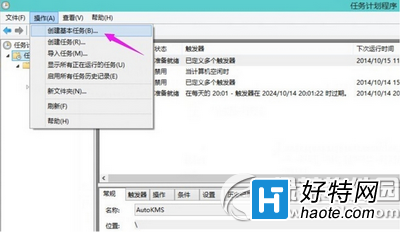
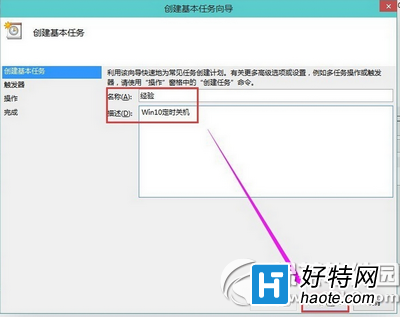
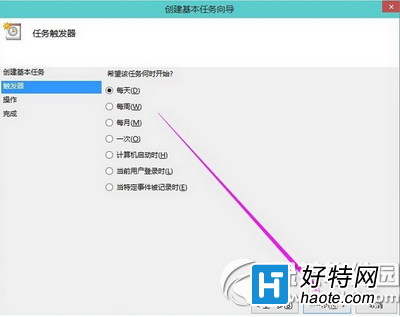
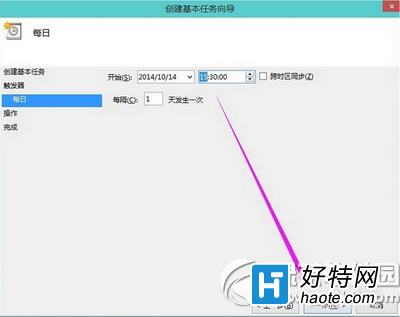
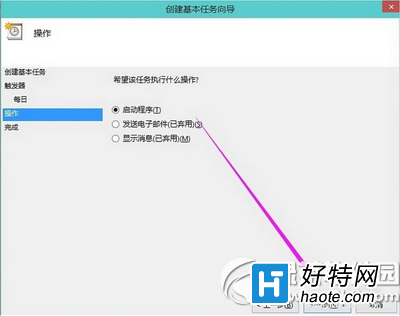
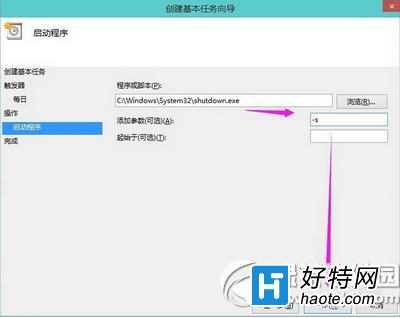
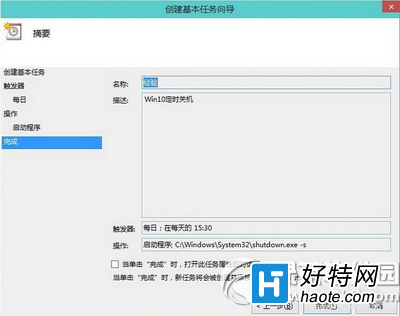
Win10 透過「工作排程器」實現自動定時關機:
C:\Windows\System32\shutdown.exe
-s
伺服器環境可依需求調整排程頻率與時間。
Win10 QQ 群檔案下載失敗?降低 QQ 安全等級至最低即可解決
Win10 開網頁提示「SSL 連線錯誤」?Internet 選項啟用 SSL 3.0 / TLS 1.0 / 1.1 / 1.2 即可解決
Windows 10 天氣應用新增查詢城市:多地天氣一手掌握
Win10 正式版應用程式商店閃退怎麼辦?
Win10 更新報錯 8024000B?重命名 Spupdsvc.exe 系統檔強制 Windows Update 重建元件
Win10 運行《激戰 2》 卡住無回應?換裝 SSD + 將 gw2.exe 加入 Windows Defender 排除清單
Windows 10 檔案總管主頁空白無內容修復教學 (註冊表修正)
Win10 Edge 瀏覽器 Web 筆記功能:網頁批註、剪裁、分享一站式完成