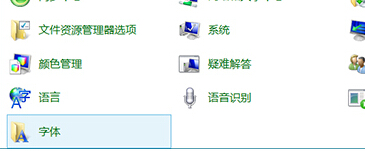
Win10 內建大量字體(宋體、楷體、微軟雅黑等),實際常用僅 1-2 種,移除未用字體可釋放記憶體與載入時間。
建議保留系統必要字體(如微軟正黑體、Segoe UI 等),僅移除確定不使用的第三方或稀有字體。
Win10 將回收站釘選到「快速存取」側邊欄技巧(詳細版)
Win10 桌面圖示消失?三種情況分類解決
Windows 10 重新命名本機磁碟機代號的簡單操作
Win10 無聲音?回復聲卡驅動程式版本解決
Win10 無法安裝雙系統?UEFI 安全啟動強制鎖定與破解現狀分析
微軟 Lumia 650 國行即將上市:千元機定位、金屬邊框、Win10 Mobile 商務輕旗艦
升級 Win10 報 0xc0000017 記憶體不足?清除 BCD 壞記憶體標記
Win10 清除 USB 使用痕跡:登錄表刪除 usbstor 相關鍵值