開機彈出「遺失 mfc110u.dll」,此為 Visual C++ 2012 執行階段元件。下載該檔案放入 C:\Windows\System32 並用 regsvr32 註冊即可解決。
mfc110u.dll(建議安裝 Visual C++ 2012 可轉散發套件正式版)。C:\Windows\System32(64 位元系統另需複製至 SysWOW64)。regsvr32 mfc110u.dll 註冊(若為 64 位元系統註冊 32 位元 dll 需用 regsvr32 %windir%\SysWOW64\mfc110u.dll)。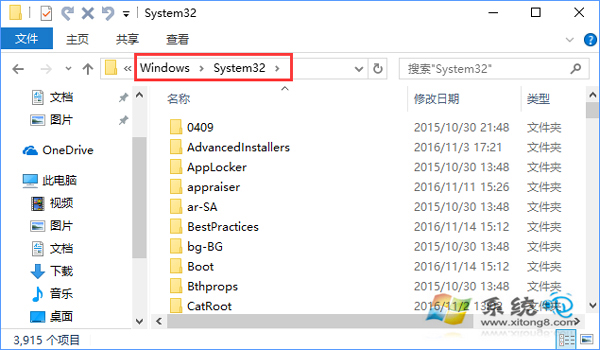
複製至 System32
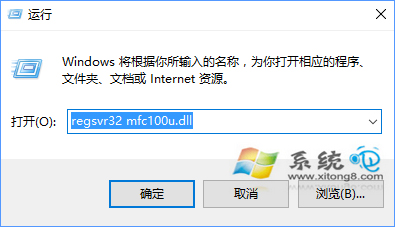
執行 regsvr32 註冊
建議直接安裝官方 VC++ 可轉散發套件,避免單一 dll 版本不符或缺少其他相依元件。