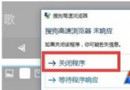
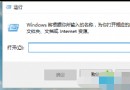
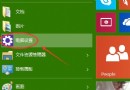
Windows SmartScreen 會檢查未簽署或低聲譽應用程式,若頻繁誤攔信任軟體,可透過「安全性與維護」介面快速關閉。


關閉後下載執行未簽署程式不再彈出警告,但也失去一層防護,建議僅在確認來源安全時暫時關閉,或搭配防毒軟體使用。
Win10 應用程式預設安裝位置怎麼改?兩大方法助你釋放 C 槽空間
Win10 遊戲無法啟動?相容性疑難排解自動修復:右鍵 → 相容性疑難排解 → 試用建議設定
Windows 10 Build 9901 Modern 設計語言變革:白色線條圖示取代灰色填色、標題列按鈕簡化
Win10 如何分割磁碟?磁碟管理工具建立新分區完整圖文教學
升級 Windows 10 後藍屏/無限重啟?多為顯卡驅動衝突,安全模式卸載驅動即可解決
Win10 開始選單跳出「嚴重錯誤」?設定 User Manager 服務為自動修復