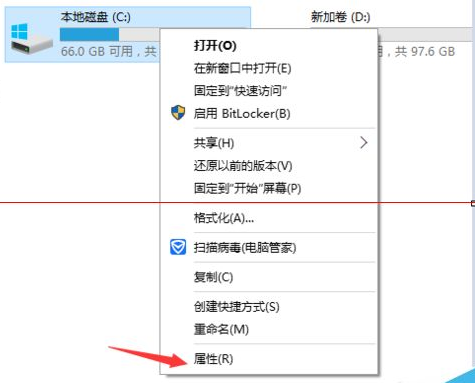
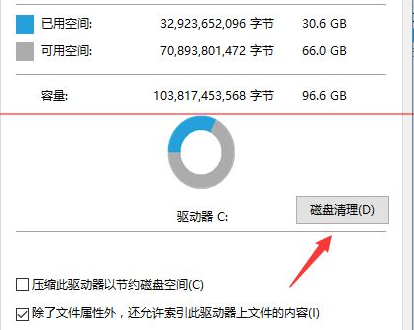
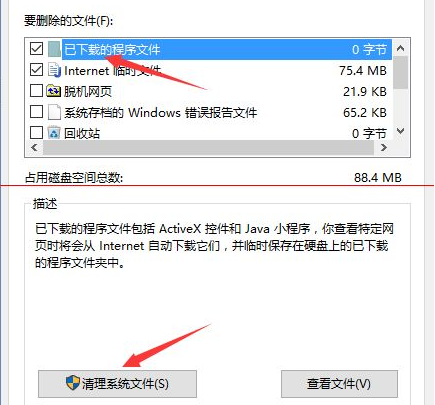
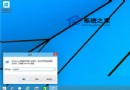
升級 Win10 後,舊系統備份檔佔用大量 C 槽空間,透過磁碟清理即可移除:
操作簡單且安全,清理後無法還原舊版本。
Win10 C 槽 cmak 資料夾是什麼?能不能刪除?
Win10 查看隱藏檔案完整教學:檔案總管檢視分頁一鍵顯示隱藏項目
Win10 寬帶連線錯誤 651 解決全攻略:Modem、線路、ISP 三層排查
Win10 將「Windows 照片查看器」設為默認看圖工具:圖文教程
Win10 設定共用項目列表顯示數量調整教學
Win10 系統「更改電腦設定」兩大入口:快捷鍵與開始選單全解析
Windows 10 藍屏 0x0000003B 解決方案:晶片組驅動、BIOS、電源管理完整排查
Windows 10 無法執行 QQ?請至官網下載最新版安裝