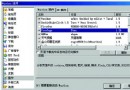
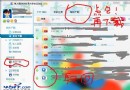
問題:IE 僅能開啟網站首頁,任何超連結或右鍵「在新視窗開啟」均無反應。
原因:IE 新建視窗模組受損,需重新註冊相關 DLL。
解決方法:依序在「開始/執行」中輸入以下指令(每行按 Enter):
Regsvr32 Actxprxy.dll
Regsvr32 Shdocvw.dll
Regsvr32 Mshtml.dll
Regsvr32 Urlmon.dll
Regsvr32 Msjava.dll
Regsvr32 Browseui.dll
Regsvr32 Oleaut32.dll
Regsvr32 Shell32.dll
完成後重新啟動 IE 即可恢復正常。若中毒(如衝擊波)也可能導致此故障,請先殺毒。