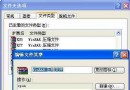
使用 IE 瀏覽 PHP 頁面時總會自動下載,而 Firefox 則正常顯示。這通常是因為相關 DLL 檔案註冊錯誤導致。
regsvr32 msxml3.dll
msxml3.dll
C:\Windows\System32
完成後重新開啟 IE,PHP 網頁應能正常顯示。
IE9「加入最愛」按鈕失效怎麼辦?重設瀏覽器快速解決
微信打飛機高分攻略:不貪、找安全區、大螢幕優勢、求生存不爭分秒
電子郵件「抄送」(CC) 與「密送」(BCC) 差異與實務用法詳解
Outlook 2007 自動提醒功能導致自動關閉?Voxware Audio Codec 不相容,修改登錄檔排除
Outlook 設定 QQ 郵箱收發信失敗?503 Error 解決完整圖文教學
IE 常見故障大全:亂碼、非法操作、首頁被改、右鍵菜單劫持、搜尋引擎綁架、彈窗廣告、註冊表被禁等 15 類問題解決方案
讓 IE 也擁有分頁瀏覽:WebTools 外掛安裝與使用教學
卡巴斯基安裝失敗「無法存取 Windows Installer 服務」完整排查 9 大方案:從權限檢查到註冊表重建