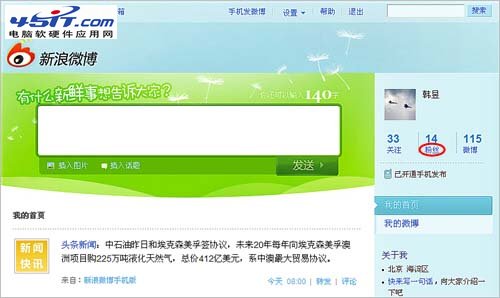
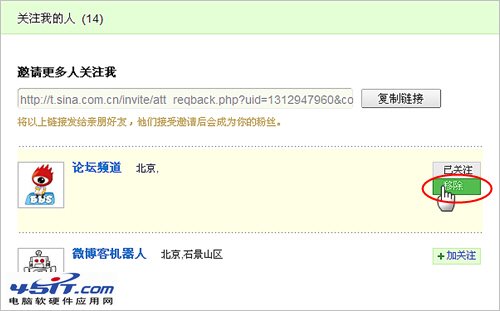
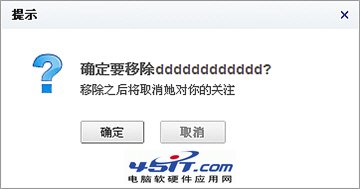
移除粉絲操作:
被移除者不會收到通知,單向取消關注關係。
Foxmail 6.0 防駭客兩招:清除儲存密碼、善用黑名單擋垃圾郵件
支付寶芝麻信用分是什麼?怎麼查看?五大維度評估個人信用
微信漂流瓶玩法全攻略:扔瓶子、撿瓶子、語音/文字、我的瓶子管理
微信頭像尺寸多少最清晰?官方建議與實測最佳比例
打造專屬 Firefox:Tab Mix Plus、Super DragAndGo、Adblock Plus 三大擴展複製 Maxthon 神功,另推薦 FlashGot、PDF Download、Gmail Notifier、IE Tab
註銷飛信後彩雲還能用嗎?視乎是否升級互聯網通行證
讓 IE 也擁有分頁瀏覽:WebTools 外掛安裝與使用教學
Outlook Express 無法寄信「找不到主機 smtp.163.com」?多半是拼字錯誤!