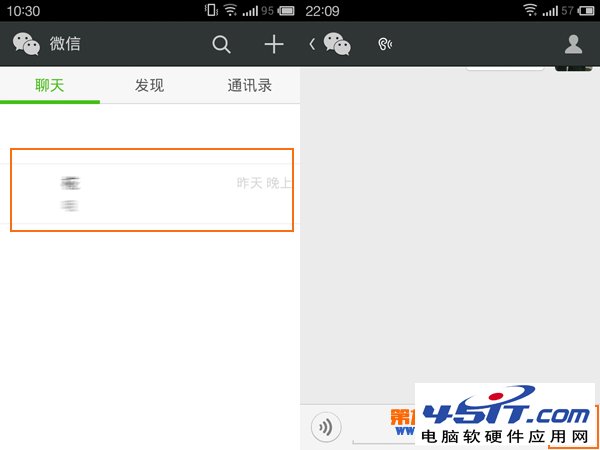
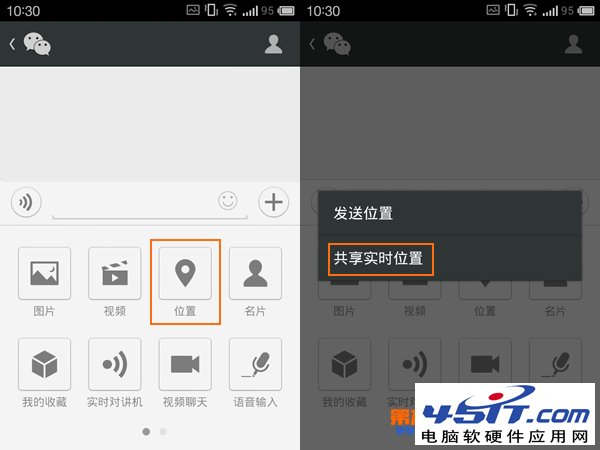
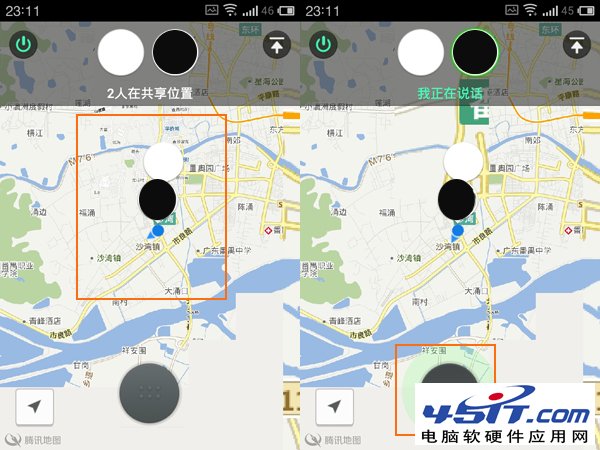
微信 5.2+ 「共享即時位置」比單向發送位置更強大:雙方位置同步顯示地圖上,並支援即時語音對講。
適用場景:商場尋友、戶外集合、親子定位、約會導航,比單向發位置直觀高效得多。
百度瀏覽器快遞查詢外掛使用教學:一鍵追蹤比官網更快更詳盡
BT 下載穿透防火牆:開啟連接埠讓速度飛起來
IDM 使用技巧八則:盜版提示繞過、關閉監視進程、設定暫存目錄、單線程、翻牆下載、備份設定、瀏覽器關聯、Chrome 擴充修復
當心 FlashGet 毀了你的硬碟:寬頻下必調寫入閾值,否則硬碟狂響壽命大減
如何提高 IE7 開啟網頁速度
MSN 隱藏功能大公開:隱形人暱稱、秘密表情代碼、雙帳號聯絡人遷移、防自動轉表情、穿透防火牆語音視訊
微信 5.2 如何退出/關閉?設定選單隱藏的「退出」與「關閉微信」雙選項差異
MSN 反監聽與訊息加密指南:防 ARP 欺騙、啟用內建加密、第三方加密工具 Simp Pro