Windows XP Windows 7 Windows 2003 Windows Vista Windows 綜合教學 Linux 系統教學
Windows 10 Windows 8 Windows 2008 Windows NT Windows Server 電腦軟體教學
您现在的位置: Windows教程網 >> Windows教程 >  >> 電腦軟體教學 >> 軟體綜合

去除常用軟體啟動畫面:Windows、Office、Foxmail、瑞星、OE、ACDSee 完整設定

編輯:軟體綜合

Windows 2000/XP

以記事本開啟 C 槽 Boot.ini,在含 /fastdetect 那行末尾加空格並輸入 /noguiboot。若找不到檔案,請在「資源管理器」→「工具」→「資料夾選項」→「檢視」勾選「顯示所有檔案」並取消勾選「隱藏受保護的作業系統檔案」。

Foxmail、金山詞霸

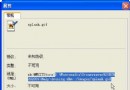
捷徑右鍵→「內容」→「目標」欄位末尾加空格並輸入 -nosplash。

瑞星電腦監控

進入安裝目錄 sing av,刪除或移走 RavMon.bmp。

MS Office 組件

  • Word: 捷徑「目標」加 -q
  • Excel: 加 -e
  • PowerPoint: 加 -splash

Outlook Express

  1. 執行 regedit 開啟登錄編輯器。
  2. 定位 HKEY_CURRENT_USER\Identities\{GUID}\Software\Microsoft\Outlook Express\5.0(GUID 因人而異)。
  3. 右側找 Nosplash DWORD 值,改為 1(無則新建)。

ACDSee 4.0

「工具」→「選項」→「介面」標籤,取消勾選「Show splash screen on startup」。

Copyright © Windows教程網 All Rights Reserved