Dolphin 可在中階 PC 全速模擬 Wii 遊戲,支援體感控制器。Mac 版介面一致。核心設定:Graphics 選 OpenGL、強顯卡開濾鏡/加速、Controller 選 Real Wiimote 配對真實手柄。
設定步驟
- 開啟 Dolphin → Config → Graphics 選 OpenGL,視顯卡性能開啟過濾/加速。
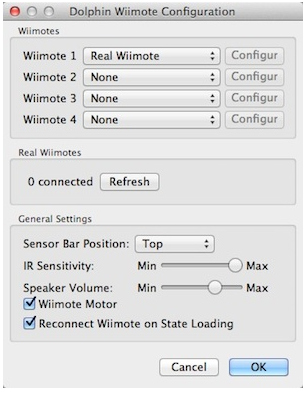
- Controller 設定:Wiimote 1 選「Real Wiimote」→ Real Wiimotes 點「Refresh」同時按住手柄 1+2 鍵閃爍,震動即配對成功(勿先在系統配對)。
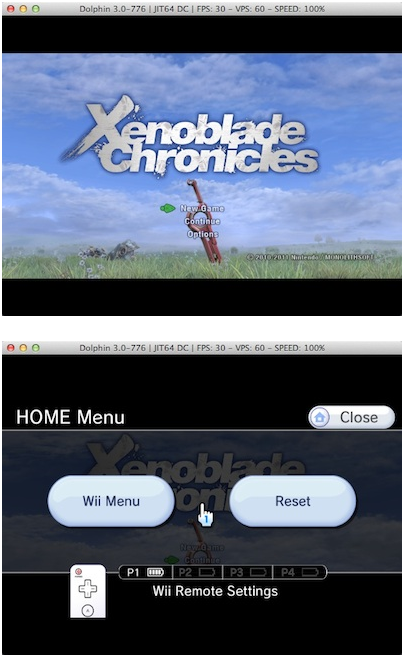
- Config → Browse 載入遊戲(如《異度之刃》),幀數限制 30 FPS(原機標準,過高加速影響操作)。
建議配置
- CPU:i3 以上
- 顯卡:顯存 512MB+
- 記憶體:4GB+
- 支援 macOS Mountain Lion 及更新版本。
絕大多數 Wii 遊戲可正常模擬,重溫經典不再需主機。