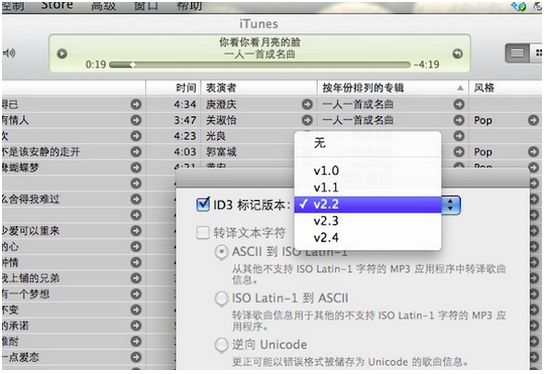
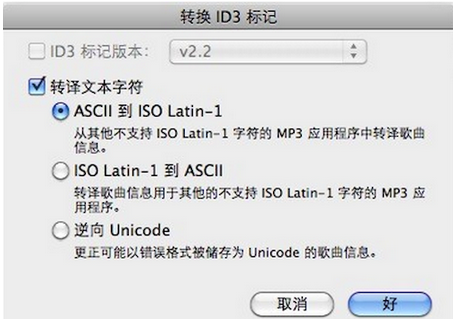
iTunes 顯示中文歌詞亂碼?三步修復:
核心原理:統一 ID3 標籤版本與文字編碼,消除編碼衝突。親測有效,最簡單方案。
愛思助手「設備搬家」教程:兩台 iPhone 數據一鍵遷移
360免費WiFi藍屏解決雙方案:Killer網卡驅動更新/禁用虛擬網卡,拒絕筆記本發熱死機
魔獸世界萬聖節寵物「恐怖爬行者」獲取全攻略:5 個日常、抓捕藍色品質技巧
LOL官方論壇翻滾吧點券活動第9周:競猜5英雄勝率排序贏1萬點券+永久皮膚,8月25-30日進行中
《鋼鐵雄心 4》包餃子戰術教學:從單集團到多集團合圍實戰技巧
火影忍者OL 土主考試 140 層通關攻略:水主疊毒+水影結界+仙鳴分身,手動點奧義打斷佐助為核心
WinToUSB 圖文教學:將 Windows 系統安裝到 USB 隨身碟,即插即用隨身帶著走
QQ 密碼修改全攻略:官方渠道、手機綁定、密保工具、異地登錄應急處理