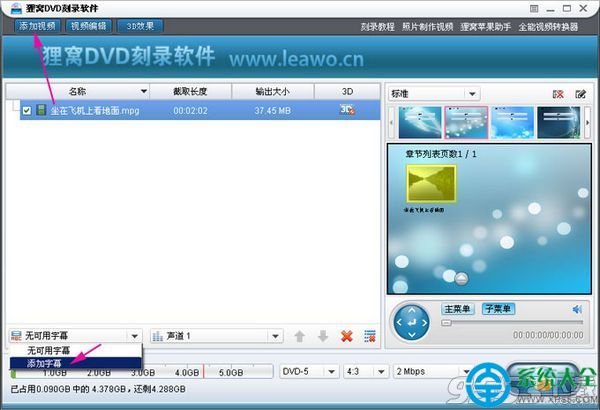
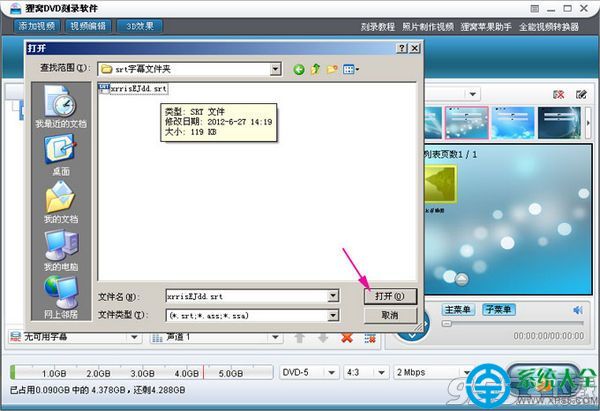
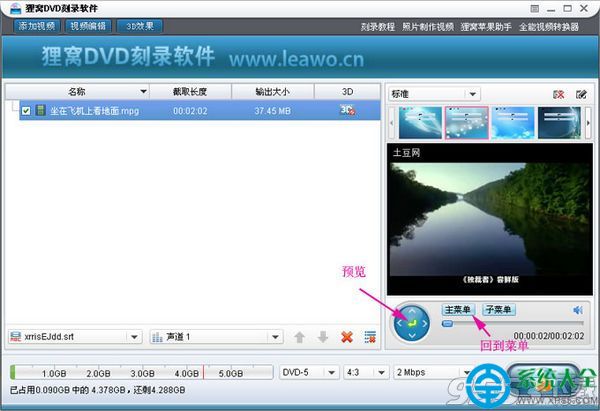
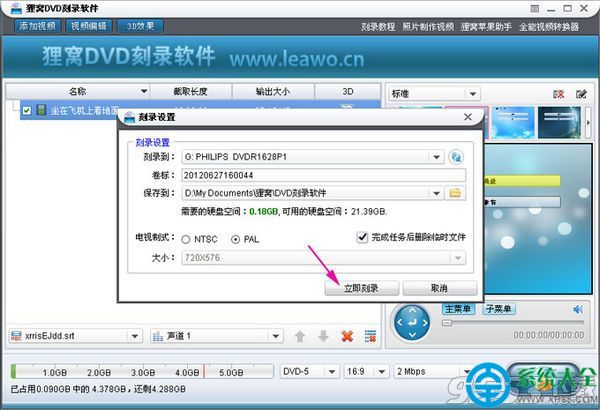
狸窩 DVD 燒錄支援外掛 SRT 字幕:
外掛字幕燒錄成 DVD,家庭影院觀賞無障礙。
超頻基礎知識全解析:CPU/記憶體/核心顯示頻率計算、外頻倍頻、電壓與散熱考量
iTudou 相容瀏覽器完整列表:IE 核心瀏覽器支援說明
Flash Player 瘦身加速全攻略:禁用 P2P、關閉沙箱、手動更新核心組件
符石守護者信仰系統全選項攻略:財富之神、戰神、靈魂之神、巖石之神、復仇之神、荒蕪之神、契約之神詳細選擇後果
BT 種子檔案是什麼?原理、用法與下載教學
百萬文件不再亂:DropIt 規則分類讓下載資料夾秒變整齊
微商加人 48 法:從同行互推到免費資源推廣,全渠道獲客圖譜
用 IDM 下載百度網盤大檔案並實現斷點續傳:雙技巧完整教學