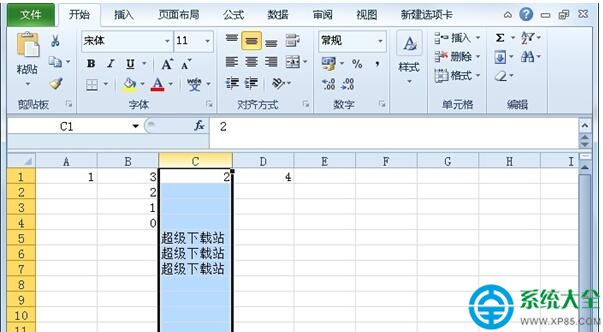
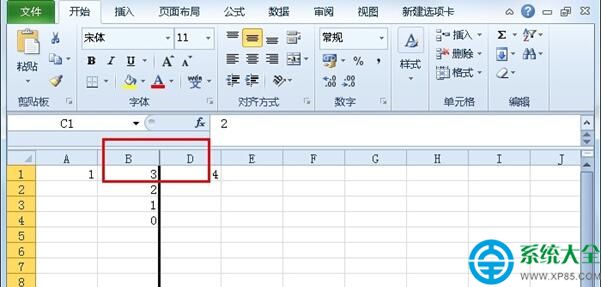
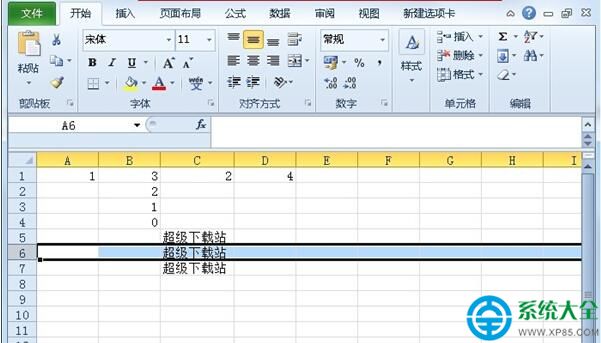
隱藏暫時不需的列或列,讓試算表更聚焦核心資料:
選中列號 → 右鍵「隱藏」;取消隱藏時選中上下相鄰列 → 右鍵「取消隱藏」。
善用隱藏功能,輕鬆管理大型試算表視野。
iOS 6 完美越獄教學:Redsn0w 0.9.15b4 完整圖文流程(含 DFU 模式進入技巧)
魔獸世界大災變時空漫遊地下城開啟時間:11 月 18/19 日上線
我的世界 1.9 戰鬥更新:衝鋒攻擊機制上線,4 次衝鋒 = 22 次點擊傷害
DNF劍豪二覺暴力刷圖加點與職業深度分析:定位模糊、技能瑕疵、操作手感差
建立 USB 修復隨身碟:Win8/10 系統異常、更新失敗一鍵還原,關鍵時刻救命稻草
合金裝備5幻痛「自定義武器刪除/替換」方法:無法直接刪除,只能在基地選項中替換
《刺客信條2》格鬥武器系統全解析:主/副/消耗/刺殺/拳術五大類、攻速與反擊概率關係、莊園訓練技能
USB 裝置無法停止「通用磁碟區」?四招安全移除教學