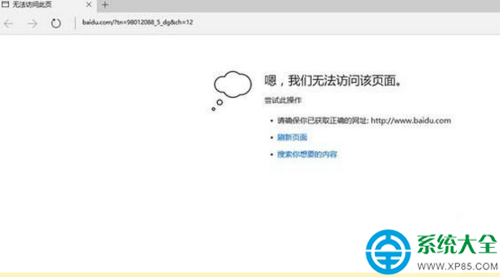
Windows 10/11 Edge 瀏覽器顯示「無法連線到網頁」/「Hmmm…無法到達此頁面」,但 Chrome/Firefox/IE 正常。常見原因為 TCP 自動調諧/啟發式/ RSS 參數異常、第三方防火牆/安全軟體攔截 Edge 進程 (MicrosoftEdge.exe / msedge.exe)。
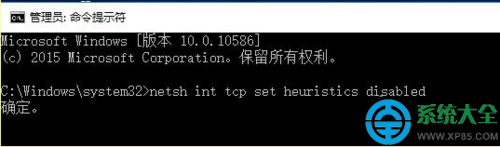
netsh int tcp set heuristics disabled
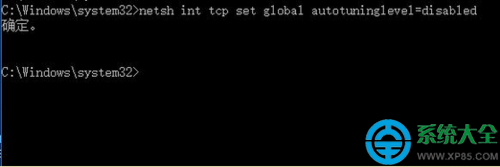
netsh int tcp set global autotuninglevel=disabled
netsh int tcp set global rss=enabled
heuristics disabled:關閉 TCP 啟發式演算法,避免誤判網路狀態導致連線中斷。autotuninglevel=disabled:關閉接收視窗自動調諧,強制使用固定視窗,解決部分網卡驅動相容性問題。rss=enabled:啟用接收端縮放 (RSS),多核心 CPU 並行處理網路封包,提升吞吐量。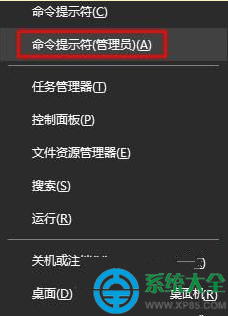

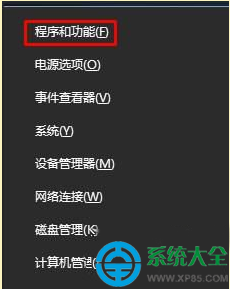
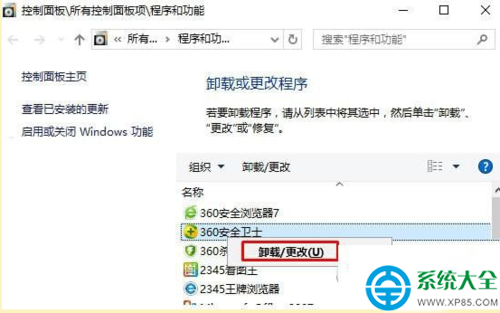
Get-AppXPackage -AllUsers -Name Microsoft.MicrosoftEdge | Foreach {Add-AppxPackage -DisableDevelopmentMode -Register "$($_.InstallLocation)\AppXManifest.xml"} 重新註冊 Edge AppX 套件。netsh winsock reset → netsh int ip reset → ipconfig /release → ipconfig /renew → ipconfig /flushdns → 重開機。