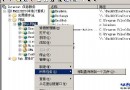
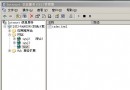
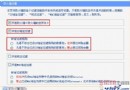
IIS 6 預設**不解析 .shtml 副檔名**,直接回傳原始碼或 404,導致 Server Side Include (SSI) 指令 (如 ) 不生效。
iisreset
.shtml
.stm
.shtm
.html
ssinc.dll
伺服器防火牆選型全攻略:硬體 vs 軟體、三大技術架構、五大主流產品推薦與選購避坑指南
保障服務器穩定運行的七大關鍵因素:從機房環境到災備規劃
Windows Server 2003四大Web管理介面實戰:打印、終端、流媒體與遠程維護
舊電腦變身 Linux 區域網伺服器:代理上網、遊戲對戰、網站發布全攻略
解決「您不具備查看該目錄或頁面的權限」:PHP 目錄讀取權限缺失導致 ACL 拒絕
Windows Server TCP/IP 篩選功能啟用與配置完整教學(含圖解)
虛擬主機安全強化(三):隱藏 IIS 版本資訊防偵察
Nginx 自訂 404 錯誤頁面正確配置:避免返回 200 狀態碼的關鍵細節