Windows XP Windows 7 Windows 2003 Windows Vista Windows 綜合教學 Linux 系統教學
Windows 10 Windows 8 Windows 2008 Windows NT Windows Server 電腦軟體教學
您现在的位置: Windows教程網 >> Windows教程 >  >> 電腦軟體教學 >> 伺服器技術 >> 關於伺服器

IIS 7.5 站點目錄權限實戰範例:TSHost 群組與 Tingsea 用戶完整授權矩陣

編輯:關於伺服器

環境定義

  • OS: Windows Server 2008 R2 (x64)
  • IIS: 7.5
  • 運行模式: ASP/PHP/.NET 1.1-4.0 全能
  • 站點用戶群組: TSHost
  • 站點域名: tingsea.com.cn
  • 站點用戶: tingsea
  • WWW 根目錄: E:\WwwRoot
  • FTP 根目錄: E:\WwwRoot\tingsea
  • Web 目錄: E:\WwwRoot\tingsea\web
  • 日誌目錄: E:\WwwRoot\tingsea\log
  • 獨立資料目錄: E:\WwwRoot\tingsea\db

權限矩陣 (僅列出相對父級的增量/特殊權限)

路徑主體權限 (適用於: 此資料夾/子資料夾/檔案)繼承
E:\Administrators, SYSTEM完全控制是
E:\WwwRootIIS_IUSRS讀取、列出資料夾內容是
E:\WwwRoot\tingseatingsea讀取、列出資料夾內容是
E:\WwwRoot\tingsea\webtingsea**修改** (讀取/寫入/刪除/新增)否 (中斷繼承)
E:\WwwRoot\tingsea\logtingsea寫入 (僅新增/附加日誌)否
E:\WwwRoot\tingsea\dbtingsea修改 (資料庫檔案讀寫)否

關鍵操作要點

  1. 中斷繼承:Web、Log、DB 目錄**取消勾選「包含來自父物件的可繼承權限」**,改為「新增」顯式授權,避免父級過寬權限 (如 IIS_IUSRS 修改) 下放。
  2. 最小權限:Log 目錄僅給 **寫入** (不可刪除/修改歷史日誌);DB 目錄給修改;Web 目錄給修改 (支援上傳、快取、重寫)。
  3. IIS_IUSRS 只讀根目錄:確保應用程式池身分能遍歷到站點目錄,但無法直接寫入其他站點。
  4. 應用程式池身分:進階設定 → 處理序模型 → 身分識別 = ApplicationPoolIdentity (預設),自動對應虛擬帳戶 IIS AppPool\tingsea 隸屬 IIS_IUSRS。

驗證清單

  • 以 tingsea 用戶登入伺服器,嘗試寫入 E:\WwwRoot\tingsea\web\test.txt → 成功。
  • 嘗試刪除 E:\WwwRoot\tingsea\log\old.log → 拒絕 (無刪除權限)。
  • 嘗試存取 E:\WwwRoot\other_site\web → 拒絕 (無權限)。
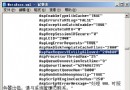
  • IIS 瀏覽站點、上傳檔案、寫入日誌、資料庫讀寫 → 全部正常。
Copyright © Windows教程網 All Rights Reserved