IIS Worker Process (w3wp.exe) 崩潰,事件檢視器記錄:
錯誤應用程式 w3wp.exe,版本 6.0.3790.3959,錯誤模組 unknown,版本 0.0.0.0,錯誤位址 0x022ac15b。經排查為 **.NET Framework 2.0 修補補丁註冊表機碼** 缺少 IIS_WPG 群組讀取權限導致。
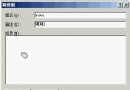
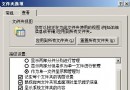
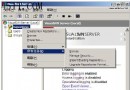
regedit。HKEY_LOCAL_MACHINE\SOFTWARE\Microsoft\.NETFramework\policy\AppPatch\v2.0.50727.00000HKEY_LOCAL_MACHINE\SOFTWARE\Wow6432Node\Microsoft\.NETFramework\policy\AppPatch\v2.0.50727.00000。iisreset。AppPatch 政策機碼,預設僅授權 Administrators/SYSTEM。w3wp.exe 以 IIS_WPG 身分載入政策組件,讀取失敗導致進程啟動/回收時崩潰。回收應用程式集區,觀察事件檢視器不再出現 w3wp.exe 應用程式錯誤,網站正常響應。
此問題常見於 Windows Server 2003 + .NET 2.0 修補後環境,補充機碼權限即可永久修復。