ActiveMQ 5.6.0 在 Windows 啟動時拋出 java.net.BindException: Address already in use: JVM_Bind,錯誤堆疊指向傳輸連接器無法綁定 tcp://0.0.0.0:61616。經排查發現是 Windows 內建「Internet 連線共用 (ICS)」服務佔用該埠,停用即解決。
2012-09-26 13:26:43,360 | ERROR | Failed to start ActiveMQ JMS Message Broker ...
Reason: java.io.IOException: Transport Connector could not be registered in JMX:
Failed to bind to server socket: tcp://0.0.0.0:61616 due to:
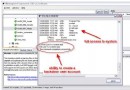
java.net.BindException: Address already in use: JVM_Bindnetstat -an 未顯示 61616 埠被佔用 (ICS 服務可能不顯示於標準連線表)。services.msc) 發現 Internet Connection Sharing (ICS) 服務正在執行。# 1. 開啟服務管理員
services.msc
# 2. 找到 "Internet Connection Sharing (ICS)" → 右鍵「停止」→ 啟動類型改為「手動」或「停用」
# 3. 重啟 ActiveMQ
bin\activemq.bat startnetstat -an 有時無法顯示系統服務佔用的埠,可嘗試 netstat -ano 查看 PID,再用 tasklist | findstr 定位進程。netstat -ano | findstr :61616 → 找 PID → tasklist /fi "PID eq " 。conf/activemq.xml 中 <transportConnector name="openwire" uri="tcp://0.0.0.0:61616"/> 改用其他埠 (如 61617) 繞過衝突。記住:埠衝突不一定能用 netstat 直接看到,系統服務佔用需查看服務管理員,修改應用預設埠是永久規避衝突的備選方案。