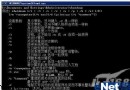
目錄無索引文件(index.html、index.php 等)時,Apache 默認返回文件列表,洩露目錄結構、源碼文件、配置文件、備份文件等敏感信息。
# 原配置

    Options Indexes FollowSymLinks
    AllowOverride None
    Order allow,deny
    Allow from all


# 修改為:刪除 Indexes

    Options FollowSymLinks
    AllowOverride None
    Order allow,deny
    Allow from all
    Options -Indexes FollowSymLinks
    AllowOverride None
    Order allow,deny
    Allow from all
+ 表示啟用,- 表示禁用。-Indexes 明確語義更清晰。
# 站點根目錄 .htaccess
Options -Indexes
適用於虛擬主機、無主配置權限場景。
mkdir /var/www/html/testdirhttps://server/testdir/
    # 核心:禁用目錄瀏覽、啟用符號鏈接跟蹤
    Options -Indexes FollowSymLinks

    # 禁止 .htaccess 覆蓋(性能、安全),特定目錄再開放
    AllowOverride None

    # 訪問控制:Apache 2.4 語法
    Require all granted
    # Apache 2.2 語法
    # Order allow,deny
    # Allow from all

    # 禁用服務器簽名
    ServerSignature Off

    # 禁用 TRACE 方法
    TraceEnable Off


# 特定應用目錄允許 .htaccess

    AllowOverride FileInfo AuthConfig Limit
# 隱藏 Apache 版本信息
ServerTokens Prod
ServerSignature Off

# 自定義 403 頁面
ErrorDocument 403 /errors/403.html
ErrorDocument 404 /errors/404.html
ErrorDocument 500 /errors/500.html
| 誤區 | 後果 | 正確理解 |
|---|---|---|
以為 IndexIgnore * 可禁用列表 | 僅隱藏文件,目錄仍可列表 | Options -Indexes 才是禁用目錄索引 |
| 修改後未重啟 Apache | 配置不生效 | apachectl graceful 或 systemctl reload httpd |
| 虛擬主機配置未繼承主配置 | 主配置禁用,虛擬主機仍列表 | 虛擬主機 <Directory> 需同步設置 |
Apache 目錄瀏覽洩露風險極高。在 <Directory> 中設置 Options -Indexes 或移除 Indexes,重啟 Apache 即可徹底禁用。配合 ServerTokens Prod、ServerSignature Off、自定義錯誤頁,構建最小信息暴露原則防線。
Nginx 編譯安裝 ngx_pagespeed 模組實現網站自動優化加速
禁止 IIS 靜態檔案快取 (png、js、html 等) 完整方案:Metabase.xml 目錄級與註冊表全域兩種模式
MDaemon 郵件伺服器在 Windows Server 2003 上的完整部署與管理指南
解決 IIS 啟用 Gzip 壓縮導致 OpenFlashChart 在 IE6 顯示「IO Error #2032」問題
Nginx 301 永久重導向配置全攻略:主域名規範化、HTTP 轉 HTTPS、泛域名轉向實戰範例
虛擬化平台三雄對決:VMware vSphere vs Microsoft Hyper-V vs Citrix XenServer