dhcp-3.0.1-12_EL.i386.rpmmount /dev/cdrom /media/cdrom/
rpm -ivh /media/cdrom/RedHat/RPMS/dhcp-3.0.1-12_EL.i386.rpm
# 複製樣本
cp /usr/share/doc/dhcp-3.0.1/dhcpd.conf.sample /etc/dhcpd.conf
vim /etc/dhcpd.conf
ddns-update-style interim;
ignore client-updates;

subnet 10.0.0.0 netmask 255.0.0.0 {
    # --- default gateway
    option routers "10.0.0.1";
    option subnet-mask "255.0.0.0";
    # 可選項 (依需求取消註解)
    # option nis-domain "domain.org";
    # option domain-name "domain.org";
    # option domain-name-servers 10.0.0.1;
    # option time-offset -18000; # Eastern Standard Time
    # option ntp-servers 192.168.1.1;
    # option netbios-name-servers 192.168.1.1;
    # option netbios-node-type 2;

    range dynamic-bootp 10.0.0.100 10.0.0.200;
    default-lease-time 21600;
    max-lease-time 43200;

    # 固定 IP 範例
    # host ns {
    #     next-server marvin.redhat.com;
    #     hardware ethernet 12:34:56:78:AB:CD;
    #     fixed-address 207.175.42.254;
    # }
}
編輯 /etc/sysconfig/dhcpd:
DHCPDARGS="eth0 eth1" # 指定 dhcpd 監聽的介面,空白則監聽所有
service dhcpd start
# 設定開機自啟
chkconfig dhcpd on
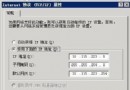
客戶端網卡設定為「自動獲取 IP 位址」,重新啟用網卡或重啟機器,執行 ipconfig /all (Windows) 或 ifconfig (Linux) 確認已取得正確 IP、閘道、DNS。
ddns-update-style 設定與 DNS 整合策略一致。range 範圍勿與靜態 IP、排除範圍衝突。