VNC(Virtual Network Computing)讓你在遠端電腦上看到並操作 Linux 桌面環境,適合需要圖形界面的服務器管理、開發調試、演示等場景。本文以主流發行版為例,記錄「開啟遠程訪問」與「關閉防火牆」兩步核心配置。
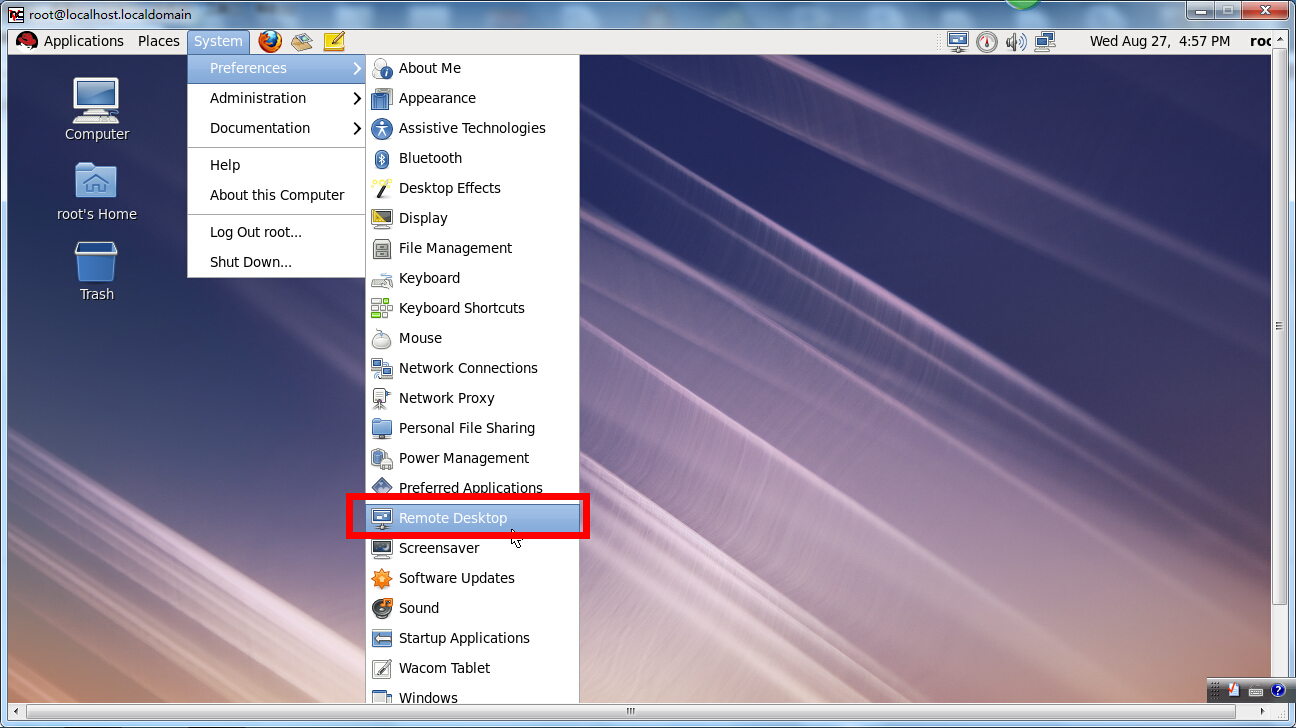
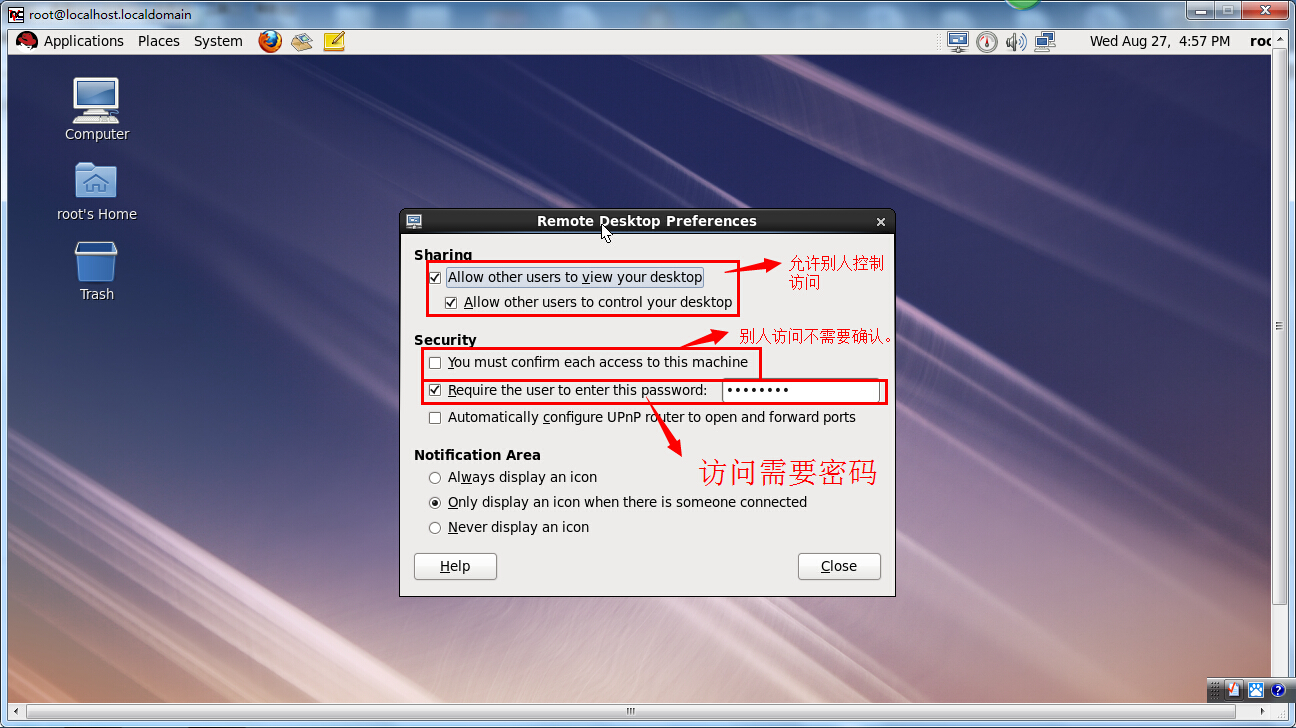
tigervnc-server、vino、x11vnc)。不同桌面環境設置入口不同,核心都是啟用「遠程桌面」或「屏幕共享」並設置訪問密碼。
# 安裝
yum install tigervnc-server -y  # RHEL/CentOS
apt install tigervnc-standalone-server -y  # Ubuntu/Debian

# 配置用戶密碼(以用戶 vncuser 為例)
su - vncuser
vncpasswd
# 輸入兩次密碼,可選設置只讀密碼

# 配置會話啟動腳本 ~/.vnc/xstartup
cat > ~/.vnc/xstartup <<'EOF'
#!/bin/bash
unset SESSION_MANAGER
unset DBUS_SESSION_BUS_ADDRESS
exec /etc/X11/xinit/xinitrc
EOF
chmod +x ~/.vnc/xstartup

# 啟動 VNC 服務(顯示號 :1 對應端口 5901)
vncserver :1 -geometry 1920x1080 -depth 24

# 開機自啟(systemd)
cp /lib/systemd/system/vncserver@.service /etc/systemd/system/vncserver@:1.service
sed -i 's//vncuser/g' /etc/systemd/system/vncserver@:1.service
systemctl daemon-reload
systemctl enable vncserver@:1.service
systemctl start vncserver@:1.service VNC 默認端口為 5900 + 顯示號(如 :1 → 5901,:0 → 5900)。必須在防火牆開放對應 TCP 端口。
# 永久開放 5901(顯示號 :1)
firewall-cmd --permanent --add-port=5901/tcp
firewall-cmd --reload

# 或直接開放 vnc-service(預定義 5900-5903)
firewall-cmd --permanent --add-service=vnc-server
firewall-cmd --reloadufw allow 5901/tcp
ufw reloadiptables -A INPUT -p tcp --dport 5901 -j ACCEPT
service iptables save # 或 iptables-save > /etc/iptables/rules.v4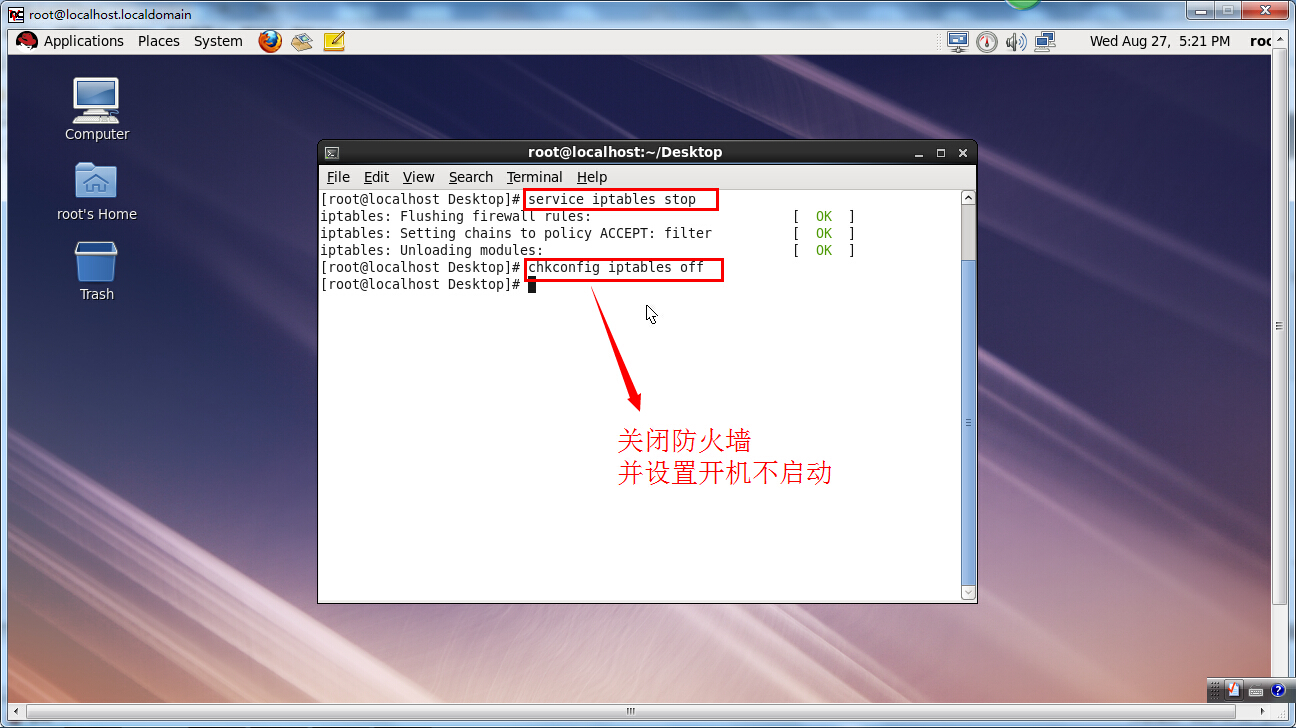
服務器IP:顯示號(如 192.168.1.100:1)或 服務器IP::端口(如 192.168.1.100::5901)。ssh -L 5901:localhost:5901 user@server,再連接 localhost:1,流量經 SSH 加密。-localhost 參數,只監聽 127.0.0.1,強制通過 SSH 隧道訪問。fail2ban 監控 VNC 日志封禁暴力破解 IP。總結: 開啟桌面共享 → 放行防火牆端口 → 客戶端連接 → 生產環境加 SSH 隧道。兩步核心配置,三步安全加固,即得安全可用的遠程桌面。
Linux 安裝教學:使用 UltraISO 製作 USB 開機隨身碟安裝 Ubuntu 雙系統
Linux Shell 腳本自動輸入密碼:expect 實戰教學(scp/ssh/ftp 通用)
RedHat 6.4 本地 yum 與 FTP yum 源雙模式配置實戰:掛載 ISO、建立 .repo、vsftpd 匿名存取、驗證安裝
Linux (CentOS) 安裝 JProfiler 8 並配置 Tomcat 遠程性能分析
Linux passwd 指令進階技巧:密碼策略、帳號鎖定、批量管理與審計
解決 Linux 64 位元編譯 JPEG 庫報錯:libtool 找不到