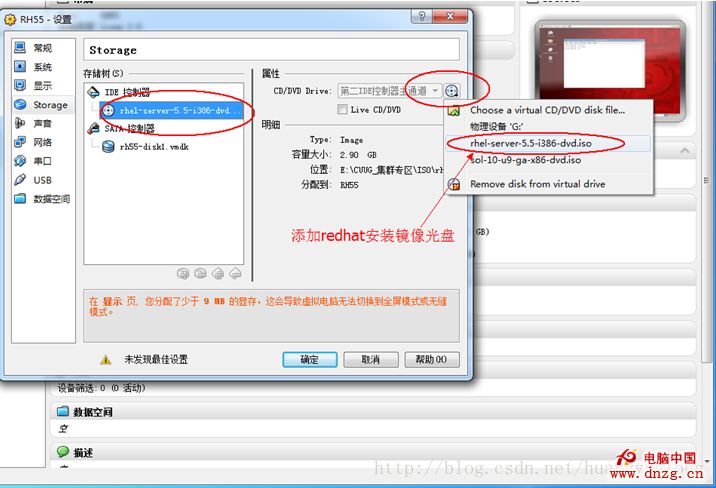
/media。/etc/yum.repos.d/,編輯 rhel-source.repo (或新建 local.repo):[rhel-local]
name=RHEL Local Repository
baseurl=file:///media
enabled=1
gpgcheck=0
gpgkey=file:///etc/pki/rpm-gpg/RPM-GPG-KEY-redhat-release
yum clean all && yum makecache 建立快取。yum list 驗證套件列表。yum -y install gcc* telnet* 安裝編譯環境與遠端工具。service xinetd start 啟動 telnet 服務 (由 xinetd 管理)。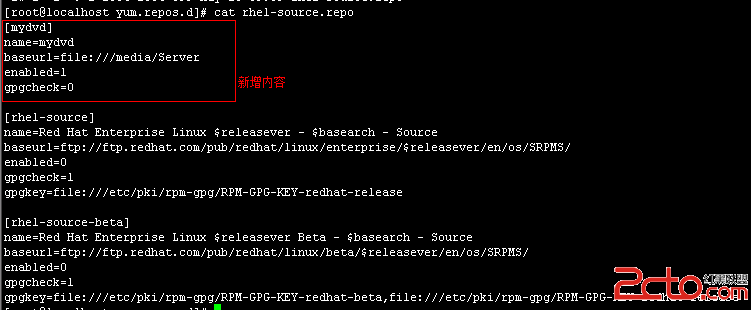
優勢: 離線環境無需外網即可解決相依性、安裝速度極快、版本與生產環境一致。