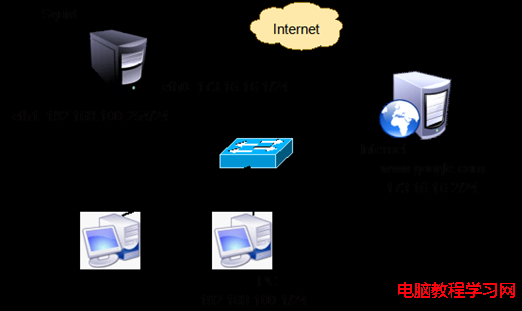
面對校園網接入互聯網後的不良資訊氾濫,本文提供零成本、高效益的解決方案:在 Linux 閘道器上部署 Squid 代理伺服器搭配 SquidGuard 過濾引擎,實現網站分級過濾、上網時段控制與日誌稽核。
/etc/squid/squid.conf 關鍵參數:
http_port 3128
cache_mem 10 MB
cache_swap_low 90
cache_swap_high 95
maximum_object_size 4096 KB
cache_dir ufs /var/spool/squid/cache 200 16 256
acl all src 192.168.1.0/24
http_access allow all
cache_effective_user squid
cache_effective_group squid
chmod 777 /var/spool/squid/cache
squid -z
/etc/rc.d/init.d/squid start
192.168.1.16:3128 即可驗證連通性。ftp://k12linux.mesd.k12.or.us/pub/squidguard/SquidGuard-1.2.0-3.i386.rpm 安裝。squid.conf 加入重導向程式:
redirect_program /usr/sbin/squidGuard -c /etc/squid/squidGuard.conf
redirect_children 5
/var/log/squidguard/squidGuard.log 尾行出現 squidGuard ready for requests 即成功。squidguard.mesd.k12.or.us/squidguard.tar.gz 解壓至 /usr/local/squidguard。/etc/squid/squidGuard.conf 指向正確路徑:redirect_program /usr/local/bin/squidGuard -c /etc/squid/squidGuard.conf。/usr/local/squidguard/log/squidGuard.log。進入 /usr/local/squidguard/db/Porn 建立 Domains.diff:
+newsite1   # 新增封鎖
+newsite2
-site3      # 移除封鎖
-site4
執行 /usr/local/bin/squidGuard -c /etc/squid/squidGuard.conf -u 更新資料庫,日誌顯示 db update done 後重啟 Squid 生效。
www.squidGuard.org 下載最新資料庫覆蓋,亦可手動微調。此架構以極低成本構建完整校園網內容安全防線,極具推廣價值。