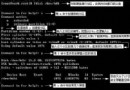
雙網卡服務器常見於 DMZ 隔離、存儲網絡分離、多 ISP 接入等場景。本文以實例演示如何通過 route/ip route 命令配置靜態路由,實現不同目標網段走不同物理接口,並解析默認網關選擇策略與持久化方案。
eth0:192.168.10.123/24,連接辦公網/管理網eth1:192.168.20.231/24,連接業務網/存儲網# 目標網段 192.168.10.0/24 走 eth0
route add -net 192.168.10.0 netmask 255.255.255.0 dev eth0
# 目標網段 192.168.20.0/24 走 eth1
route add -net 192.168.20.0 netmask 255.255.255.0 dev eth1現代語法(推薦 ip route,route 已棄用):
ip route add 192.168.10.0/24 dev eth0
ip route add 192.168.20.0/24 dev eth1# 假設管理網關 192.168.10.1,業務網關 192.168.20.1
ip route add default via 192.168.10.1 dev eth0 metric 100
ip route add default via 192.168.20.1 dev eth1 metric 200Metric 值決定優先級,數值越小優先級越高。此例中,非 192.168.20.0/24 流量走 eth0(管理網關),192.168.20.0/24 因精確匹配走 eth1。
ip route add default via 192.168.10.1 dev eth0
ip route add 192.168.20.0/24 dev eth1
效果相同:最長前綴匹配原則使 192.168.20.0/24 走 eth1,其餘走默認網關 eth0。
# 顯示數值格式路由表(不解析主機名,速度快)
route -n
# 或
ip route show

# 驗證具體目標走向
ip route get 192.168.20.50
ip route get 8.8.8.8route del -net 192.168.10.0 netmask 255.255.255.0
# 或
ip route del 192.168.10.0/24| 發行版 | 配置文件/目錄 | 示例 |
|---|---|---|
| RHEL/CentOS/Fedora | /etc/sysconfig/network-scripts/route-ethX | 192.168.20.0/24 dev eth1default via 192.168.10.1 dev eth0 |
| Debian/Ubuntu (ifupdown) | /etc/network/interfaces | up ip route add 192.168.20.0/24 dev eth1up ip route add default via 192.168.10.1 dev eth0 |
| Ubuntu 18.04+ (Netplan) | /etc/netplan/*.yaml | routes: |
| Arch/systemd-networkd | /etc/systemd/network/*.network | [Route] |