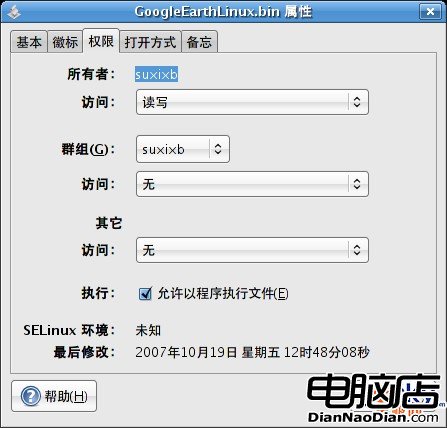
在 Linux 權限模型中,x(執行位元)對「檔案」與「目錄」具有截然不同的語義:
| 對象類型 | x 權限代表意義 |
|---|---|
| 一般檔案 | 允許將該檔案作為程式/腳本直接執行(需同時具備讀取權限) |
| 目錄 | 允許 進入(cd) 該目錄,並存取其中的檔案清單(需搭配 r 權限才能列出內容) |
假設有一支腳本 a.sh,權限為 rw-(缺少 x):
$ ./a.sh
bash: ./a.sh: Permission denied
此時僅能透過解譯器間接執行:
$ sh a.sh # 或 bash a.sh加上執行權限後,即可直接呼叫:
$ chmod u+x a.sh
$ ./a.sh # 成功執行x 無 r,可 cd 進入且若知檔名可讀取檔案,但無法用 ls 列出清單。x 位元;腳本額外需 r 以便解譯器讀取原始碼。r=4, w=2, x=1,故 7 代表 rwx。Linux 記憶體管理核心原理:從核心空間 (頁、區、Slab、vmalloc) 到使用者空間 (VMA、mm_struct、fork 複製) 完整圖解
Linux 運維核心命令速查手冊:內核版本、發行版、IP、MySQL 檢查與 lrzsz 文件傳輸
Linux 環境變數基礎:定義、操作指令與 Shell 差異總覽
Linux 大容量磁碟(>2TB)GPT 分區實戰:parted 與 mkfs.ext4 完整流程
Linux 服務器間遷移帳號資訊:awk 篩選 UID、scp 傳輸、導入 passwd/group/shadow、重啟生效