ifconfig -a / ip addr show:查看所有介面資訊。ifconfig eth0 down / ip link set eth0 down:關閉介面。ifconfig eth0 up / ip link set eth0 up:啟用介面。dhclient eth0:讓介面透過 DHCP 取得 IP。auto eth0
iface eth0 inet static
address 192.168.1.100
netmask 255.255.255.0
gateway 192.168.1.1
dns-nameservers 8.8.8.8 114.114.114.114
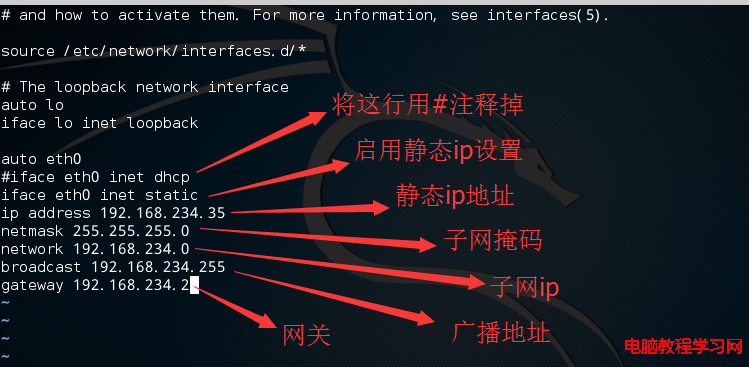
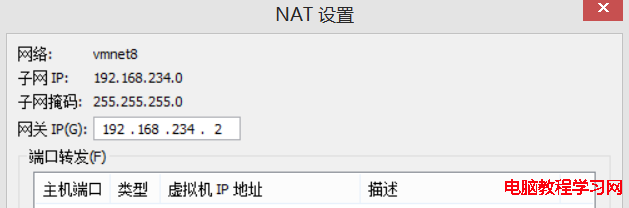
若在 VMware NAT 模式下,請對應 VMnet8 子網段設定 (如 192.168.199.0/24)。
/etc/init.d/networking restart
# 或 systemd 系統
systemctl restart networking