雖然 MySQL 4.0 已停止維護,但在舊系統遷移、相容性測試場景仍有參考價值。本文記錄雙 RPM 包 (MySQL-server、MySQL-client) 離線安裝、服務啟動、埠驗證全流程。
MySQL-server-4.0.16-0.i386.rpmMySQL-client-4.0.16-0.i386.rpmhttps://downloads.mysql.com/archives/community/ 選擇 Linux x86 RPMrpm -ivh 包名
# -i install
# -v verbose
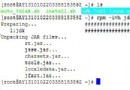
# -h hash marks (進度條 #)rpm -ivh MySQL-server-4.0.16-0.i386.rpm
# 輸出關鍵資訊:
# warning: V3 DSA signature: NOKEY, key ID 5072e1f5 (簽名未驗證,非錯誤)
# Starting mysqld daemon with databases from /var/lib/mysql
# 設定 root 密碼提示:
# /usr/bin/mysqladmin -u root password 'new-password'
# /usr/bin/mysqladmin -u root -h hostname password 'new-password'netstat -nat
# Proto Recv-Q Send-Q Local Address Foreign Address State
# tcp 0 0 0.0.0.0:3306 0.0.0.0:* LISTEN
# 3306 監聽即代表服務正常啟動rpm -ivh MySQL-client-4.0.16-0.i386.rpm
# Preparing... ########################################### [100%]
# 1:MySQL-client ########################################### [100%]/usr/bin/mysqladmin -u root password 'StrongP@ssw0rd'mysql -uroot -p
# Welcome to the MySQL monitor...chkconfig --add mysql
chkconfig mysql oniptables -A INPUT -p tcp --dport 3306 -j ACCEPT
service iptables savewarning: V3 DSA signature: NOKEY 僅表示未匯入 GPG 公鑰,不影響安裝。可 rpm --import https://repo.mysql.com/RPM-GPG-KEY-mysql 解決。mysql:mysql,安裝程式通常自動處理。RPM 安裝 MySQL 三步走:裝 Server → 驗證 3306 → 裝 Client → 設密碼 → 自啟 → 開牆。現代系統請改用 MySQL 8.0+ 官方 YUM/APT 倉庫或 Docker 部署。