Windows XP Windows 7 Windows 2003 Windows Vista Windows 綜合教學 Linux 系統教學
Windows 10 Windows 8 Windows 2008 Windows NT Windows Server 電腦軟體教學
您现在的位置: Windows教程網 >> Windows教程 >  >> Linux 系統教學 >> Linux 教學

SUSE Linux單用戶模式重設root密碼操作指南

編輯:Linux 教學

遺忘 root 密碼時,透過 GRUB 進入單用戶模式 (init=/bin/bash) 掛載根分區讀寫,即可重設密碼。本文以 SUSE Linux (openSUSE/SLES) 為例,提供標準化操作步驟。

操作步驟

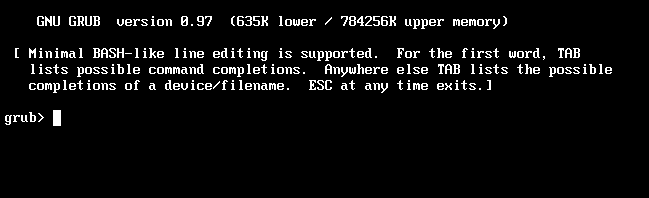
  1. 重啟系統,在 GRUB 選單選擇啟動項 (通常為預設項)。
  2. 編輯啟動參數:按 e 進入編輯模式,找到 linux / linuxefi 行,刪除原有參數,在行尾加入:
    init=/bin/bash
    
  3. 啟動:按 Ctrl+x (GRUB2) 或 b (GRUB Legacy) 啟動。系統將直接進入 root Shell,無需密碼。
  4. 重新掛載根分區為讀寫:
    
    mount -o remount,rw /
    
  5. 修改密碼:
    
    passwd
    # 輸入新密碼兩次
    
  6. 恢復根分區唯讀 (可選,建議執行):
    
    mount -o remount,ro /
    
  7. 重啟:
    
    exec /sbin/init
    # 或 reboot -f
    

常見變體

  • systemd 系統:亦可在 GRUB 參數加入 systemd.unit=emergency.target 或 rd.break (initramfs 階段中斷),進入緊急模式後同樣 mount -o remount,rw /sysroot → chroot /sysroot → passwd → touch /.autorelabel (SELinux) → exit → reboot。
  • GRUB 密碼保護:若 GRUB 設有密碼,需先輸入 GRUB 密碼才能編輯參數。
  • 加密根分區 (LUKS):需在 initramfs 階段解密,rd.break 方式較通用。

安全建議

  1. 設定 GRUB 密碼 (grub2-setpassword) 防止惡意進入單用戶模式。
  2. 啟用全盤加密 (LUKS) 保護離線資料。
  3. 使用 SSH 金鑰登入 + sudo 取代直接 root 登入,減少密碼遺忘風險。
  4. 定期測試災難恢復流程 (含密碼重設)。

單用戶模式重設密碼是 Linux 系統管理員必會的基本功,熟練掌握 GRUB 編輯、掛載、chroot 等核心操作,關鍵時刻能救場。

Copyright © Windows教程網 All Rights Reserved