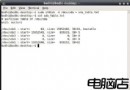
history 指令會列出先前執行過的命令清單,每條命令前附有順序號。這些號碼不僅供參考,更可用於重新執行特定命令:
$ !10000
sudo /etc/init.d/apache2 start!!!-2 執行倒數第二條命令。!b 會執行歷史中最近一條以 b 開頭的命令(如 build-book)。!$ 代表上一條命令的最後一個「字串」。範例:
$ mkdir /home/wjgilmore/books/easy_bash
$ cd !$按 Ctrl+R 開啟反向增量搜尋:
(reverse-i-search)`':輸入關鍵字(如 apa)即時顯示匹配命令:
(reverse-i-search)`apa': sudo /etc/init.d/apache2 start按 Enter 執行,或按 ↑ 編輯後再執行。
編輯 ~/.bashrc 設定環境變數:
HISTSIZE=10000)。.bash_history 的內容。
ignoredups:忽略連續重複命令。ignorespace:以空白開頭的命令不記錄。ignoreboth:同時啟用以上兩者。快速替換上一條命令中的字串:
$ cp vhost.template /etc/apache2/sites-available/dev.example.com
$ !!:s/dev/forum
# 產生:cp vhost.template /etc/apache2/sites-available/forum.example.com善用 history 擴展、搜尋、環境變數調整與命令替換,能大幅提升終端機操作效率,讓任務執行與系統導航更快速優雅。