生產環境常需將主控機的 iptables 規則自動備份至備份機,以便故障切換。本文提供基於 cron 與 expect 的自動化方案。

mkdir -p /bak/iptables/
mkdir /root/script//root/script/backup.sh:\cp /etc/sysconfig/iptables /bak/iptables/iptables_$(date +%Y%m%d%H)crontab -e
10 * * * * sh /root/script/backup.shmkdir -p /bak/iptables/{lt,yd}
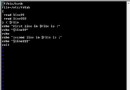
mkdir /root/script//root/script/scp_lt.sh (使用 expect 自動輸入密碼):#!/usr/bin/expect -f
set password gst
spawn scp -P 22 root@202.105.135.52:/etc/sysconfig/iptables /bak/iptables/lt/iptables
set timeout 300
expect "root@202.105.135.52's password:"
send "$password\r"
expect eof此方案實現異地防火牆規則自動同步,提升系統可用性。