Node.js 以事件驅動、非阻塞 I/O 模型著稱,是構建高併發 Web 服務的首選。本文從安裝 Node.js 到運行控制台版與 HTTP 服務器版 Hello World,帶您跨入 Node.js 開發大門。
# 安裝 NVM (Node Version Manager)
curl -o- https://raw.githubusercontent.com/nvm-sh/nvm/v0.39.7/install.sh | bash
source ~/.bashrc

# 安裝長期支持版 (LTS)
nvm install --lts
# 或指定版本
# nvm install 20.11.0

# 驗證
node -v   # v20.11.0
npm -v    # 10.2.4
備選:apt install nodejs npm(版本較舊)、官網下載二進制包、Docker 運行。
創建 helloworld.js:
console.log('Hello World!');
運行:
node helloworld.js
# 輸出:Hello World!
修改 helloworld.js:
const http = require('http');

const server = http.createServer((req, res) => {
  res.writeHead(200, { 'Content-Type': 'text/plain; charset=utf-8' });
  res.end('Hello World!\n');
});

const PORT = 3000;
server.listen(PORT, () => {
  console.log(`Server running at https://localhost:${PORT}/`);
});
運行:
node helloworld.js
# 輸出:Server running at https://localhost:3000/
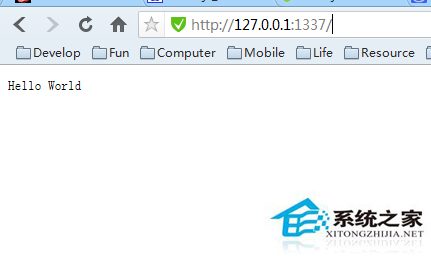
瀏覽器訪問 https://localhost:3000/ 或 curl https://localhost:3000/,顯示 Hello World!。
| 代碼 | 含義 |
|---|---|
require('http') | 引入內建 http 模組 |
http.createServer(callback) | 創建 HTTP 服務器,回調處理每個請求 |
req | 請求對象(IncomingMessage),含 headers、url、method、body 流 |
res | 響應對象(ServerResponse),用於寫入頭、體、結束響應 |
res.writeHead(200, {...}) | 發送狀態碼 200 及響應頭 |
res.end(data) | 發送響應體並結束響應 |
server.listen(port, callback) | 綁定端口監聽連接,回調在服務器啟動後執行 |
# 安裝 Express
npm init -y
npm install express

# app.js
const express = require('express');
const app = express();

app.get('/', (req, res) => {
  res.send('Hello World from Express!');
});

app.listen(3000, () => console.log('Express on :3000'));
運行 node app.js,體驗路由、中間件、模板引擎等豐富生態。
npm install -g nodemon
# 或 npx nodemon
nodemon helloworld.js
# 修改代碼保存後自動重啟,無需手動 Ctrl+C + 重新運行
| 現象 | 原因 | 解決 |
|---|---|---|
Error: listen EADDRINUSE | 端口被佔用 | lsof -i :3000 找到進程 kill,或換端口 |
Cannot find module | 模塊未安裝或路徑錯誤 | npm install、檢查 node_modules、相對路徑以 ./ 開頭 |
| 中文亂碼 | 響應頭缺 charset | res.setHeader('Content-Type', 'text/plain; charset=utf-8') |
| npm 安裝極慢 | 默認源在國外 | npm config set registry https://registry.npmmirror.com |
Dockerfile、docker-compose.yml、Kubernetes。從一行 console.log 到高併發微服務,Node.js 之旅始於 Hello World。動手敲代碼,比看一百遍教程更有效!