只要修改一處登錄值,即可騙過微軟更新伺服器,讓 Windows XP 繼續接收長達 5 年的安全更新!此方法已獲國外媒體 ZDNet 確認有效。
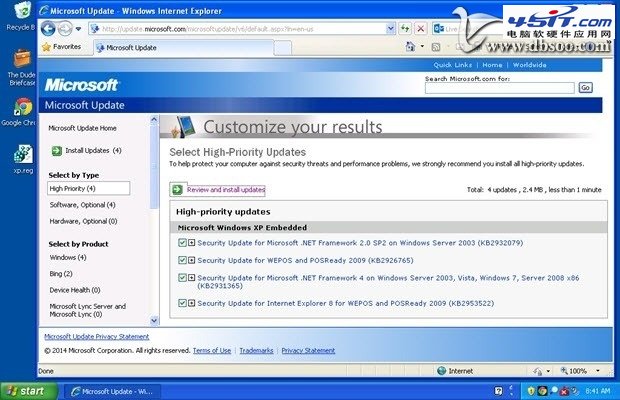
修改登錄讓微軟伺服器誤判系統為 Windows Embedded POSReady 2009。POSReady 是微軟 2009 年針對 POS 終端機製造商與企業推出的嵌入式系統,安全更新支援至 2019 年 4 月,距今尚有 5 年。
將以下代碼存為 .reg 檔(例如 xp_posready.reg),雙擊匯入登錄即可:
Windows Registry Editor Version 5.00
[HKEY_LOCAL_MACHINE\SYSTEM\WPA\PosReady]
"Installed"=dword:00000001
具體步驟:新建記事本 → 貼上上述代碼 → 另存為,副檔名改為 .reg → 雙擊執行匯入 → 重新開機後前往 Windows Update 檢查更新。
Windows XP 軟體限制原則 (SRP) 完整部署指南(上)
揭穿「減少 XP 進度條圈數即加快開機」謬論:實測總時間無變化,黑畫面反而變長
Windows XP 忘記密碼破解:啟動腳本 (Startup Script) 重設密碼免工具
Ghost 進階技巧全攻略:檢查、參數、Explorer、加密、命令列自動化
Windows XP 開機自動開啟數字小鍵盤:四種方法從註冊表到 BIOS
鮮為人知的 Windows XP 優化八招:二級快取、磁碟快取、預讀、Prefetch 清理、磁碟掃描等待、索引關閉、滑鼠加速修正、NTFS 優化