Windows XP Windows 7 Windows 2003 Windows Vista Windows 綜合教學 Linux 系統教學
Windows 10 Windows 8 Windows 2008 Windows NT Windows Server 電腦軟體教學

Longhorn 4029 破解啟用教學:TweakNT 移除時限炸彈,體驗 60 天完整版

編輯:XP 系統基礎知識

Longhorn 安裝後首次進入即要求啟用,未啟用無法使用。以下提供破解流程,可體驗 60 天完整功能(僅供測試學習,請支持正版)。

破解步驟

  1. 開機按 F8 進入安全模式。
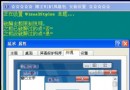
  2. 執行 TweakNT.exe,勾選「Remove Timebomb」,「Convert to」選 Home Edition,點「Apply」。
  3. 執行 Kill_Reminder.exe,若跳錯誤視窗選「是」繼續。
  4. 「執行」輸入 cmd 進入命令提示字元。
  5. 新增使用者並加入管理員群組:
    net user Long Horn /add
    net localgroup administrators Long /add
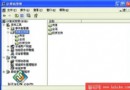
    (亦可透過「電腦管理」→「本機使用者和群組」圖形化操作)
  6. 重新開機,登入畫面會出現新建帳號「Long」,輸入密碼即可進入系統,不再彈出啟用視窗。

所需工具

TweakNT.exe、Kill_Reminder.exe 可自行搜尋下載。

提醒:此為測試版破解,正式版請購買正版授權。微軟已於 2007 年推出 Windows Vista(Longhorn 正式版),建議升級至支援中的作業系統。

Copyright © Windows教程網 All Rights Reserved