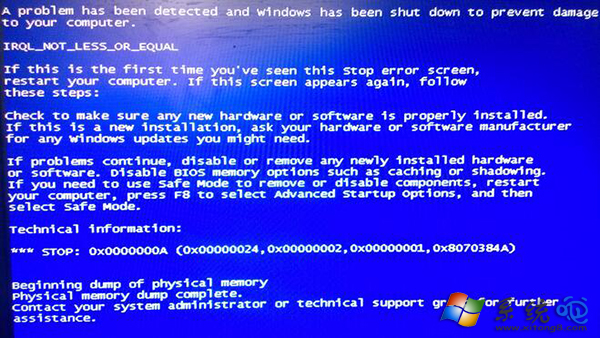
使用 PE 開機安裝系統時出現藍屏,排查步驟如下:
依序排查通常能定位問題,PE 藍屏多為硬體相容或啟動盤製作問題。
Windows XP 系統還原失效常見原因與解決方案
Windows XP專業版「執行身分」功能:無需切換帳號即以高權限運行程式
WinXP 上網出現錯誤 105 無法解析 DNS?360斷網急救箱、刷新 DNS 快取、清理瀏覽器快取三步驟修復
Windows 7 專屬 QQ 概念版 9 大創新功能:NUI 交互、3D 介面、桌面好友
QQ 號被盜兩大途徑:偷看密碼、木馬程式,防盜三招:強密碼、查毒、不信陌生連結
上網頻繁掉線?可能是劣質網卡扛不住大流量
桌面「商業導航」惡意圖標徹底清除:註冊表手術精準切除 CLSID 劫持
XP 開機失敗十大補救措施(一):開機磁碟、最後正確配置、系統還原、故障修復主控台