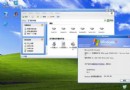
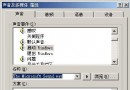
C:\Windows\System32\Tourstart.exe
C:\Windows\IME\Cintlgnt
下篇將介紹更多隱藏好用小工具。
登錄表解鎖:用工具轉換 .reg 與 .bat 格式破解惡意軟體封鎖
Windows XP 專業版 SP2 免費合法獲取與安裝全流程:從 ISO 下載到線上激活
系統資源不足怎麼辦?七大招數釋放資源避免重開機
Windows XP SP3 常見問答總整理:發布時間、內容、安裝需求一次搞懂
Windows Server 遷移工具移除指南:PowerShell 與 Server Core 雙模式操作
Windows XP 開機加速四大實戰方法與兩大謠言破解
Windows XP 內建功能赤手空拳隱藏重要檔案 兩招免安裝加密軟體
Vista 開始選單找不到「執行」命令?兩招喚回 Win+R 與選單顯示