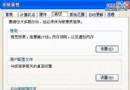
現象:[區域連線 → 內容 → 進階] 頁籤原應顯示 Windows 防火牆 (ICF) 設定,卻提示「Windows 無法顯示此連線的內容。Windows Management Instrumentation (WMI) 資訊可能已損毀...」。
WMI 每 30~60 秒讀取 C:\Windows\System32\Wbem\Repository,資料損毀導致錯誤。修復步驟:
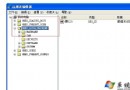
Windows Management Instrumentation → [停止]。C:\Windows\System32\Wbem\Repository 目錄下所有檔案。msinfo32 無回應。wmimgmt.msc 提示 Failed to connect to local computer due to WMI: Generic failure。修復後上述問題同步解決。
主流後門技術深度解析(下):ICMP 協議隧道與 IP 首部隱寫術
Windows XP 專業版 QoS 頻寬保留調整:釋放 20% 保留頻寬加速網路連線
重灌系統後上不了網?六大檢查項目:網卡驅動、網線、IP/DNS、閘道、路由器、直連貓測試
Windows XP 內建隱藏檔案兩大絕招:命令法建立不可見資料夾、寄生法偽裝成音樂檔
DameWare Mini Remote Control 無法連線 Windows XP SP2?完整五步驟設定防火牆與群組原則放行
戴爾 10/22 停售所有 XP 降級電腦,企業用戶仍可透過專案取得 XP 鏡像