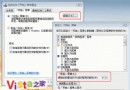
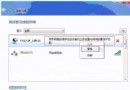
不小心刪除快速啟動列的「顯示桌面」圖示?Vista 系統內建備份,只需複製貼上即可快速恢復,無需複雜操作。
C:\Users\Default\AppData\Roaming\Microsoft\Internet Explorer\Quick Launch
C:\Users\<你的使用者名稱>\AppData\Roaming\Microsoft\Internet Explorer\Quick Launch
完成後,「顯示桌面」圖示立即出現在工作列,功能完全正常。
解決 Vista 多重開機等待時間無法修改:透過系統屬性調整預設作業系統與顯示秒數
Vista 磁碟分區提示「空間不足」?MBR 主分區 4 個上限與擴展分區破解法
巧妙備份解決 Vista 雙系統重裝後續啟動問題:BCD 與引導檔案完整備份還原指南
Vista 藍屏錯誤代碼含義與解決方案速查表(上)
Vista 電源管理三大預設方案與自訂方案建立指南:平衡、省電、高效能
解決 Vista 下《跑跑卡丁車》無法運行/藍屏問題
從 Windows XP 升級至 Vista RC1 實戰全記錄:硬體相容、驅動坑與效能調教
保障 Windows Vista 作業系統安全的八大關鍵措施