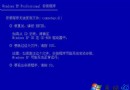
迅雷安裝時若勾選「迅雷影音」,解除安裝後開機仍彈出「影音資訊」視窗,主因是殘留程式 KKTIP.EXE 仍在背景執行。徹底清除步驟:
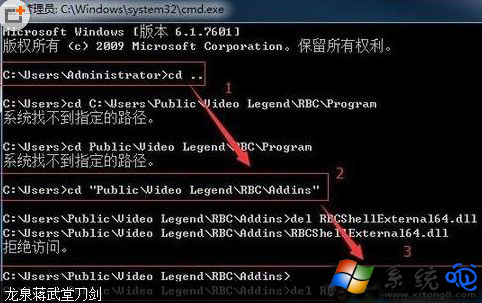
KKTIP.EXE 程序確認罪魁禍首。KKTIP 定位至 C:\Users\Public\Video Legend\RBC\Program。Video Legend 資料夾會因 RBCShellExternal64.dll 被 explorer.exe 鎖定而失敗。cmd → 切換至 C:\Users\Public\Video Legend\RBC\ADdins → 輸入 del RBCShellExternal64.dll 先不按 Enter → 工作管理員結束 explorer.exe → 回車刪除 DLL → 重新啟動 explorer.exe(Ctrl+Shift+Esc → 檔案 → 執行新工作 → explorer.exe)。Video Legend 資料夾即可成功。方法一:控制台 → 程式和功能 → 找到「迅雷影音」 → 右鍵解除安裝。
方法二:開始選單 → 所有程式 → 迅雷軟體 → 迅雷影音 → 解除安裝。
建議:安裝迅雷時取消勾選「迅雷影音」可從源頭避免此問題。若已安裝,優先嘗試標準解除安裝,若殘留彈窗持續再執行進階清除。