春節假期拍下大量照片?Win7 家庭高級版內建 Windows DVD Maker(普通版無此功能),輕鬆將照片、音樂、影片合製成 DVD 光盤分享:
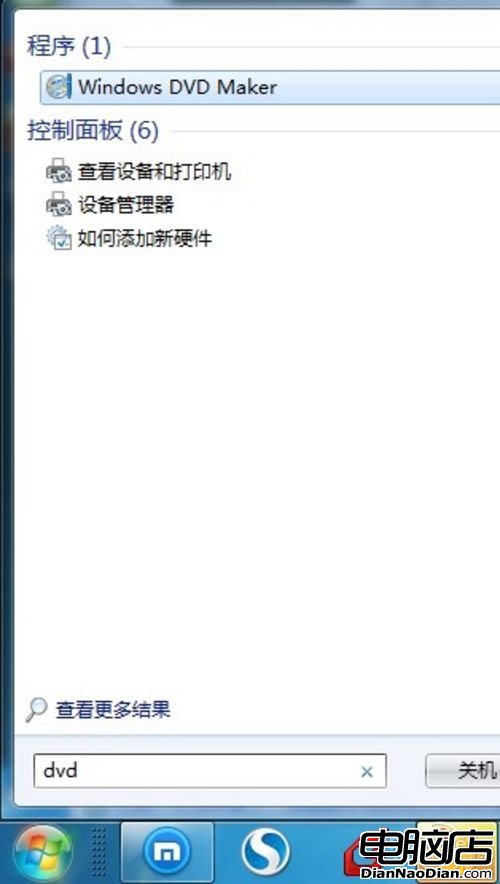
搜尋 Windows DVD Maker
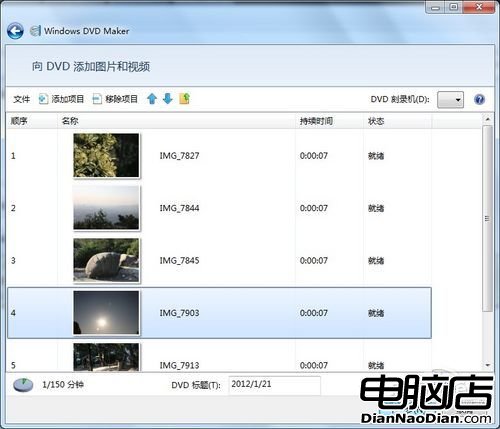
添加春節照片與影片
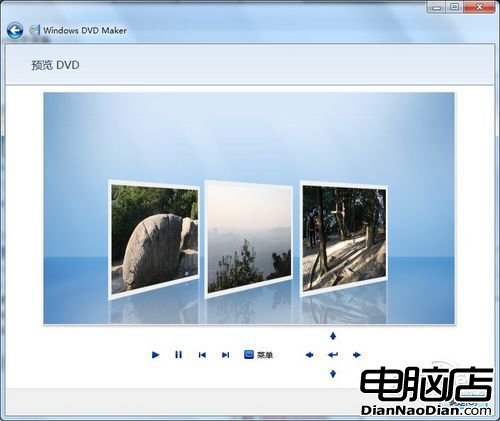
預覽成品效果
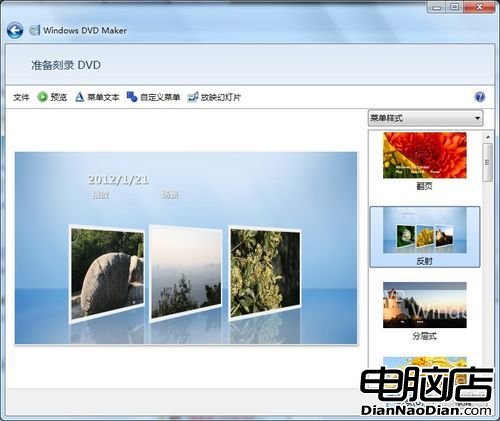
開始燒錄 DVD 光盤
簡單幾步,春節回憶影片光盤誕生!趕緊分享給親友共享歡樂。
微軟正式表態:Windows RT 越獄非安全漏洞,鼓勵開發者持續創新
微軟宣佈 2018 年 4 月結束 Surface 2/Pro 2 主流支援
Win8.1 RTM版本號確認為9600:編譯完成進入測試,10/17免費提供Win8用戶升級,新電腦預裝
微軟 Surface Mini 非唯一新品 5 月 20 日發布會將推多款平板含 Intel 版
用戶鬆口氣:微軟停止 Win10 強制升級,承認預設勾選更新為錯誤並移除未預約用戶的升級選項
諾基亞 Lumia 1020 夜拍樣張賞析:4100 萬畫素 PureView 光學防震威力