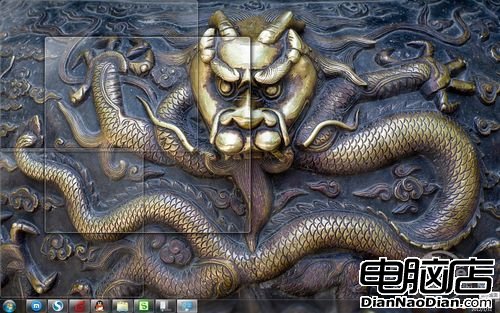
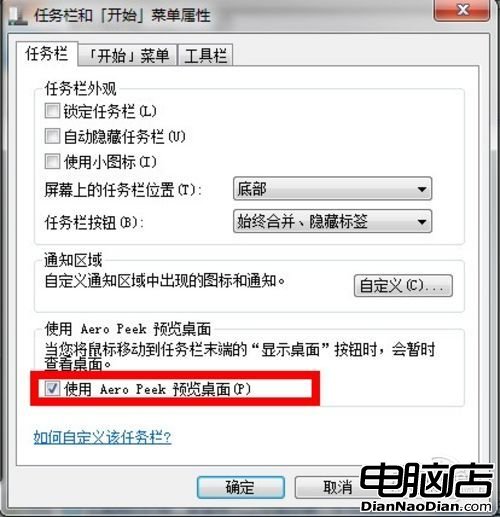
Win7 任務列最右側「顯示桌面」長方形區域,預設滑鼠停留 0.5 秒即可暫時透視桌面(Aero Peek 預覽)。若無反應,通常是「使用 Aero Peek 預覽桌面」選項被關閉。
圖 1:「顯示桌面」預覽效果
圖 2:使用 Aero Peek 預覽桌面
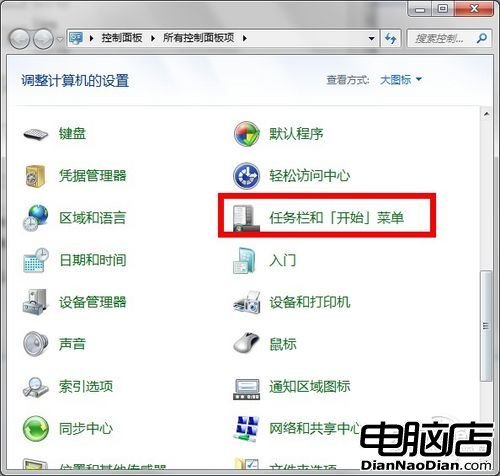
圖 3:Win7 控制台工作列設定
只要願意花時間鑽研,Win7 使用問題都能解決。希望幫助大家更好使用這個最人性化的作業系統。
解決 Win 8.1 無法連 Wi-Fi 或頻繁掉線:啟用 FIPS 相容性模式
微軟發布 Windows Phone 8 Update 3 (GDR3) 官方更新說明
微軟為Office推出深入分析(Delve Analytics)插件:追蹤郵件閱讀時間、聯繫頻率助時間管理
WP8 搶先體驗 WP8.1 控制中心:Quick Controls 提供 Wi-Fi/行動數據/藍牙/手電筒/一鍵鎖屏/音量控制
WP10 手機與 Win10 裝置可進行無線檔案傳輸
微軟:Windows 8 發布兩個月已有 170 款終端設備上市
Windows 8.1 預覽版隱藏「上帝模式」 一鍵存取所有控制台與系統設定
Windows 8 精美圖標收藏