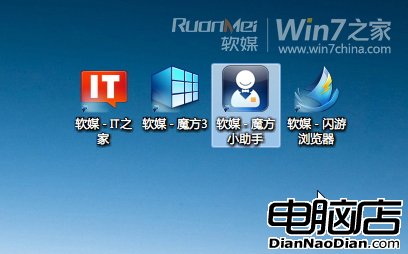
部分使用者無法容忍桌面圖示文字外的虛線焦點框。雖屬系統內建輔助功能(鍵盤導航焦點指示),仍可透過設定暫時隱藏。
explorer.exe(工作管理員結束後「新增工作」輸入 explorer.exe)。虛線框即消失。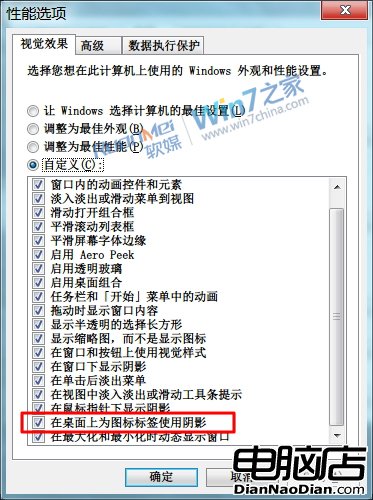
網傳刪除登錄檔 HKEY_CURRENT_USER\Control Panel\Desktop\UserPreferencesMask 可移除虛線框,實測無效。該鍵值控制選單顯示特效,與焦點框無關。
restart_explorer.bat 供美化控快速重啟:taskkill /f /im Explorer.exe
start Explorer.exe
exit另存為 .bat 雙擊執行即可。
WP8.1 遠程桌面徵集用戶反饋:UserVoice 成官方渠道、持續改進體驗、打造更強競爭力
x86 架構能否拯救 Win10 Mobile 生態?手機跑 Win32 應用結合 Continuum 成關鍵
Linux 成設計範本?Mac OS X 與 Win9 概念圖驚人相似 GNOME 風格
Windows 8 打開程序文件夾假死?罪魁禍首是 Windows Defender 掃描
Windows XP 支援終止對企業意味著什麼?安全風險與合規挑戰全解析
Windows Blue 進入 MP 預覽版開發階段:內核升級 6.3、M1/MP/正式版三階段、6 月 RTM、8 月公開發布