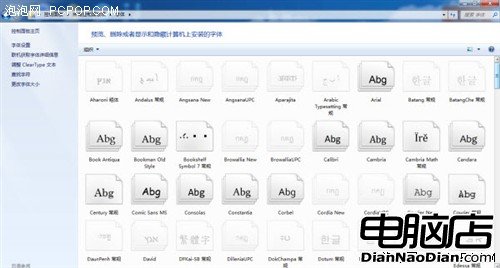
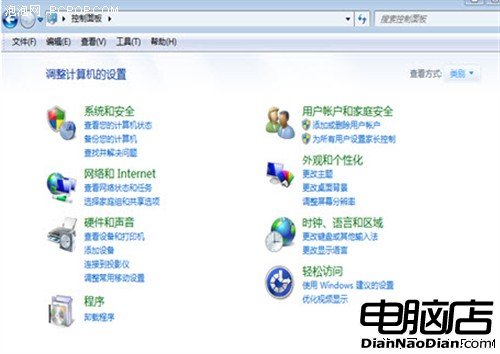
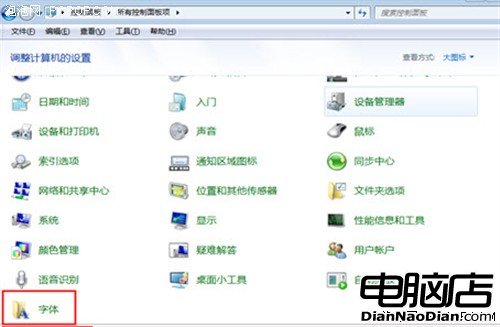
Win 7 內建大量字體佔用系統資源,實際常用寥寥。優化步驟:
刪除越多釋放越多磁碟空間與系統資源。未來若需要,從備份複製回來或向同事索取即可。輕量化系統,效能更穩健。
UEFI 安全啟動難擋駭客,Win8 安全仍需加強:林納斯·托瓦茲質疑簽名機制實效
50 個 Windows 8 操作技巧大全:從鎖屏到修復系統的完整指南
《Windows 地圖》更新:改善GPS體驗、新增機場室內地圖
Windows 10 Build 10051 全新郵件應用變化詳解
Win10 成大企業新寵:2016 年採用率將達 40%,國防部 400 萬大單領軍
Win10 TH2 更新安裝卡住?微軟確認 SD 卡致災,多階段卡頓報告不斷
iOS 5.1 完美越獄遲不發布:產業鏈利益分配成關鍵阻礙
Win10 周年更新移除 Messaging Everywhere,未來將整合至 Skype