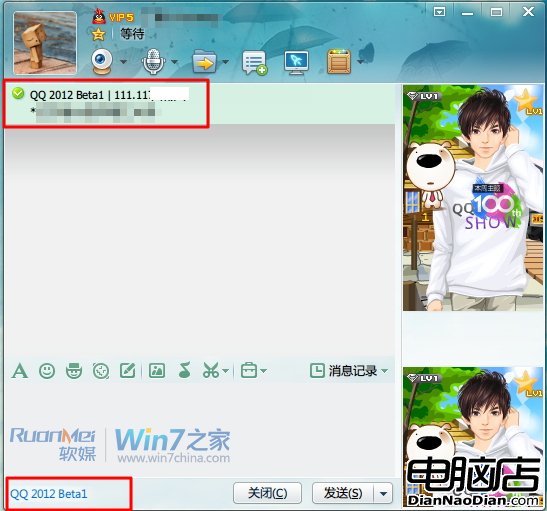
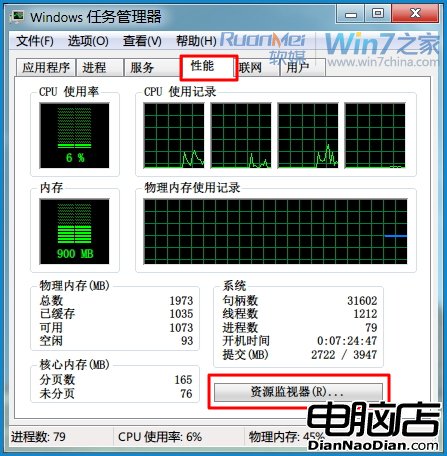
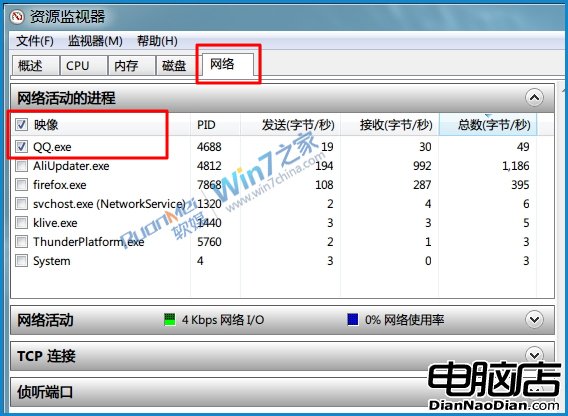
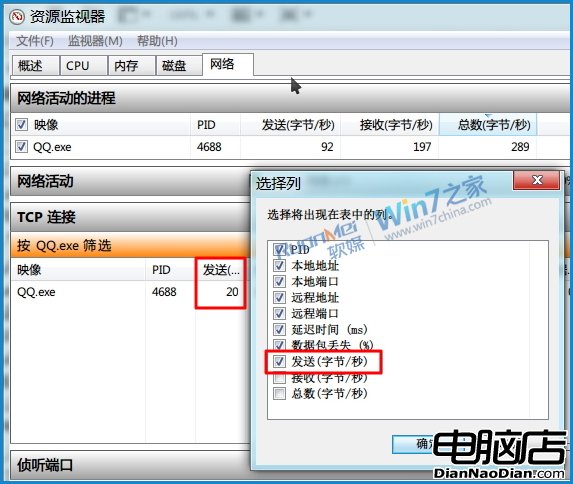
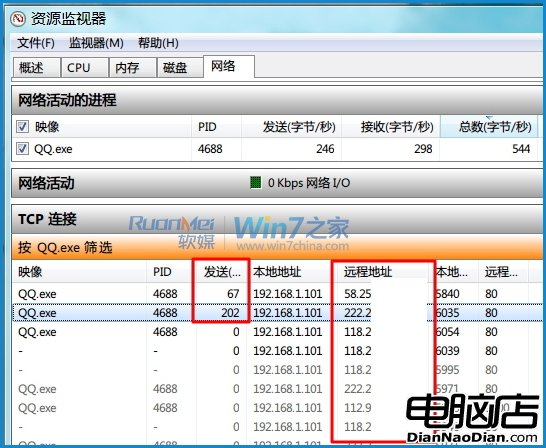
Win 7 內建資源監視器即可查看 QQ 好友 IP,無需第三方插件,保障電腦安全。操作步驟:
QQ.exe
提醒:查詢他人 IP 涉及隱私,請勿外洩,保護好友同時保護自己。
Windows 10 全新登入介面啟用方法
微軟高調宣傳 Windows 10 開始選單正式回歸
Win 7 輸入法切換失靈?Word 設定與系統熱鍵雙管齊下
用戶憂心 Win10 隱私權限:深度追蹤功能模塊使用、收集輸入字符/文件操作/語音數據,正式版權限請求成關鍵看點
微軟釋出更多 Windows Phone 8.1 IE11 細節:網址預測、無限分頁、雲同步、動態磚、High Savings 模式
免費升級 Win 10 是微軟對網絡安全的貢獻?實為移動互聯網時代自救之舉
WP8 版 QQ v4.2 內測版新功能:裝置鎖、分組管理、長文字收發、原創表情支援
The Verge 記者確認:WP8.1 將採用 Android Swype 風格鍵盤