Windows XP Windows 7 Windows 2003 Windows Vista Windows 綜合教學 Linux 系統教學
Windows 10 Windows 8 Windows 2008 Windows NT Windows Server 電腦軟體教學
您现在的位置: Windows教程網 >> Windows教程 >  >> Windows 綜合教學 >> Windows 資訊

Linux 系統救援指南:取得 Root 權限與重設密碼

編輯:Windows 資訊

無論作業系統多友善,難免遭遇棘手問題。Linux 開源特性讓使用者能深入原始碼層面排錯,這正是其魅力所在。本文整理三種常見救援情境:

1. 未登入狀態下取得 Root 權限

  • GRUB 恢復模式:開機時按 Esc 呼叫 GRUB 選單,選擇 recovery mode 直接進入 Root Shell。
  • 安裝光碟救援模式:以 Ubuntu 安裝媒體啟動,於 boot: 提示符輸入 rescue 依指示操作。

2. 修改核心啟動參數獲取 Root

在 GRUB 選單選取欲啟動的核心列,按 e 編輯,於參數末尾加入 rw init=/bin/bash,再按 b 啟動。若設有 GRUB 密碼,先按 p 解鎖。

3. 忘記 Root/主使用者密碼

取得 Root Shell 後執行 passwd root 重設 Root 密碼;主使用者密碼則用 passwd <username> 修改。
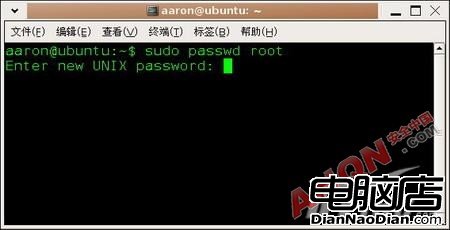
重設 Root 密碼示意圖

Copyright © Windows教程網 All Rights Reserved